I remember sitting in my first club meeting when a guy tried to explain a repeater using nothing but a whiteboard full of complex Fourier transforms and high-level mathematical jargon. He made it sound like some kind of mystical, high-altitude deity that granted permission to talk, rather than just a piece of hardware. Honestly, if you’re sitting there staring at a manual wondering what is a repeater without feeling like you need a PhD in signal processing, you aren’t doing anything wrong—the explanation is just usually too much noise. At its core, it’s just a relay station that catches your weak, struggling signal and throws it back out with enough juice to actually reach someone.
In this post, I’m stripping away the textbook fluff and the marketing hype. I’m going to tell you exactly how these systems function in the real world, from the duplexers that keep them from screaming at themselves to the practical limitations of terrain and antenna height. I won’t give you any “magic” solutions; I’ll give you the measured reality of how they work, how they fail, and when you can actually rely on them to get your message through.
Table of Contents
Radio Repeater Functionality Beyond the Marketing Hype
When you look at the spec sheets, they make it sound like a repeater is just a glorified amplifier, but the actual radio repeater functionality is a lot more delicate than that. It’s a balancing act. You have one antenna—usually a high-gain setup mounted on a tower—that has to handle two different conversations at once. This is where the duplexer explained becomes the most important part of the hardware; without that specialized filter to keep the transmit energy from bleeding directly into the sensitive receiver, the whole system would just scream at itself and go silent.
It’s also not just about raw power. Most modern systems rely on subaudible tones (CTCSS) to act as a digital handshake. If you don’t have the right tone set on your handheld, the repeater won’t even “wake up” to listen to you. It’s a gatekeeper mechanism designed to keep the airwaves from being cluttered by every stray signal in the county. You aren’t just hitting a button and hoping; you are participating in a very specific, timed sequence of two-way radio communication that requires your gear to be as disciplined as the station itself.
Input and Output Frequencies the Math That Actually Matters
If you look at a spec sheet, it’ll tell you the repeater operates on a specific frequency, but that’s only half the story. To make two-way radio communication actually work, you need two distinct frequencies: the one your handheld uses to talk to the station, and the one the station uses to talk back to you. This gap is called the offset. If you try to transmit on the same frequency the repeater is using to broadcast, you aren’t going to have a conversation; you’re just going to create a massive amount of interference and likely deafen your own receiver.
The magic that keeps these two signals from crashing into each other is the duplexer explained in your basic textbook. In a real-world setup, the repeater uses a duplexer—essentially a high-precision filter bank—to separate the incoming signal from the outgoing one through a single antenna. I’ve seen plenty of DIY builds where the isolation was poor, and the repeater input and output frequencies bled into one another, turning the whole station into a noisy mess. It’s not just about the math on paper; it’s about the hardware’s ability to keep those two paths surgically separate.
Five Things the Manual Won't Tell You About Using a Repeater
- Don’t assume “coverage” means “clarity.” Just because your handheld shows a full signal strength meter on a repeater doesn’t mean the signal is clean; you might just be hearing a loud, distorted mess of local interference that the repeater is dutifully re-broadcasting.
- Watch your offset carefully. If you’re using a new rig and you forget to set the correct duplex offset, you’ll either be shouting into a void or, worse, you’ll key up on the output frequency and momentarily deafen every other person on that repeater.
- Respect the CTCSS/DCS tones. Most repeaters use these sub-audible tones as a gatekeeper to prevent the station from being constantly triggered by noise, so if you haven’t programmed the correct tone into your radio, you’ll be talking all you want and nothing will happen.
- Mind your proximity. If you are standing right next to a repeater site and try to key up, your signal might be so strong it overwhelms the receiver’s front end, causing the repeater to “de-sense” or fail to trigger properly—sometimes a little distance is actually your friend.
- Remember that repeaters are shared resources, not private lines. If you find yourself holding the mic for long periods just to “test” your signal, you’re eating up the airtime that someone else might need for an actual emergency or a meaningful contact.
The Bottom Line on Repeaters
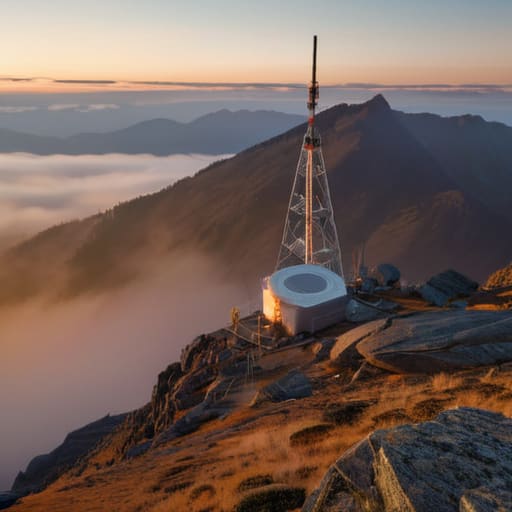
A repeater isn’t a magic signal booster; it’s a relay station that relies entirely on its own antenna height and location to bridge the gap between you and the person on the other side.
Don’t get blinded by the technical specs—the most important thing to understand is the frequency offset, because if your math is off, you’re just shouting into a void that isn’t listening.
Success isn’t just about the gear; it’s about realizing that a repeater is only as good as the terrain it sits on and the atmospheric conditions of the moment.
## The Reality of the Relay
Look, don’t get caught up in the technical diagrams. At its heart, a repeater is just a way to stop you from shouting into a valley and hearing nothing back; it’s a bridge that takes your local, tired signal and gives it the legs it needs to actually reach someone on the other side of the ridge.
Wren Castellano
The Bottom Line on Repeaters
At the end of the day, a repeater isn’t some mystical black box that solves all your propagation problems; it’s a tool that relies on physics, specific frequency offsets, and—most importantly—proper antenna placement. We’ve talked about how they bridge the gap between your handheld and the world, but remember that a repeater is only as good as its site. If the repeater’s antenna is sitting in a valley or lacks the necessary height above ground, all the math in the world won’t help you get a signal through. You need to respect the link budget and understand that you are essentially asking a machine to catch a tiny whisper and turn it into a shout.
If you’re just starting out, don’t let the technical jargon intimidate you. Whether you are hunting for a local VHF repeater to talk to neighbors or trying to find a distant FM node, you are participating in a legacy of connectivity that actually works. There is a specific kind of magic in hearing a voice come through your speaker from twenty miles away when you were only expecting static. My advice? Get out there, find your local repeater frequencies, and start listening. Once you understand how the relay works, you stop fighting the equipment and start enjoying the conversation.
Frequently Asked Questions
If I'm using a repeater, how much does my antenna height actually affect my ability to hit it?
Height is everything. If you’re sitting in a valley with your antenna at six feet, you’re basically trying to talk through a brick wall. Most repeaters are perched on ridges or towers to maximize their horizon, so if you want to hit them, you need to get your antenna up too. I’ve seen a simple dipole outperform a high-end mobile whip just because I moved it from a windowsill to a tenth-floor balcony. Get some elevation, or you’re just wasting battery.
Is it possible to accidentally "lock up" a repeater if I'm using the wrong offset or a handheld with a cheap transceiver?
Short answer: Yes, you absolutely can. If your offset is wrong, you’re essentially transmitting on the repeater’s output frequency. Instead of talking to the repeater, you’re shouting directly into its receiver. Most modern systems have a “timeout timer” to prevent this, but a cheap handheld with a poorly filtered front end can still cause a massive desense or a temporary lock-up. It’s not magic; it’s just a hardware collision that the system has to recover from.
Can I set up my own private repeater at home, or do I need to jump through a mountain of legal hoops first?
The short answer? Yes, you can build one, but the “mountain of hoops” is real. If you’re just running a simplex link between two handhelds in your backyard, that’s fine. But the moment you want to use a specific frequency to relay signals, you’re in the realm of licensing. You’ll need a technician or higher license, and if you want to broadcast on certain bands, you’re looking at coordinating with the FCC to ensure you aren’t stepping on someone else’s toes.
