
I spent three hours last Tuesday wrestling with a proprietary “remote access module” that cost more than my first car, only to realize the manufacturer’s manual was essentially a work of fiction. People love to wrap simple concepts in layers of expensive, shiny marketing, but when you strip away the jargon, the question of what is a remote station isn’t actually that complicated. It isn’t some magical, high-tech cloud-based miracle; it’s just a rig sitting in a shed, a field, or up a mast somewhere else, letting you tweak your settings over the internet so you don’t have to climb a tower every time the SWR creeps up.
I’m not here to sell you on a subscription service or a “smart” radio ecosystem that requires a PhD to troubleshoot. My promise to you is much simpler: I’m going to tell you how to actually build one that works, based on real-world measurements and the kind of hardware that doesn’t die the moment the wind picks up. We’ll talk about latency, power stability, and why your connection is probably going to drop if you don’t get your networking right. No hype, just the actual physics of keeping your station alive from a distance.
Table of Contents
- Unmanned Station Architecture Beyond the Marketing Fluff
- Real Time Data Transmission vs Just Hoping for Signal
- Five Things I Learned the Hard Way About Remote Stations
- The Bottom Line: Don't Build a Remote Station Until You Read This
- The Reality of Remote Operating
- The Reality of Going Remote
- Frequently Asked Questions
Unmanned Station Architecture Beyond the Marketing Fluff
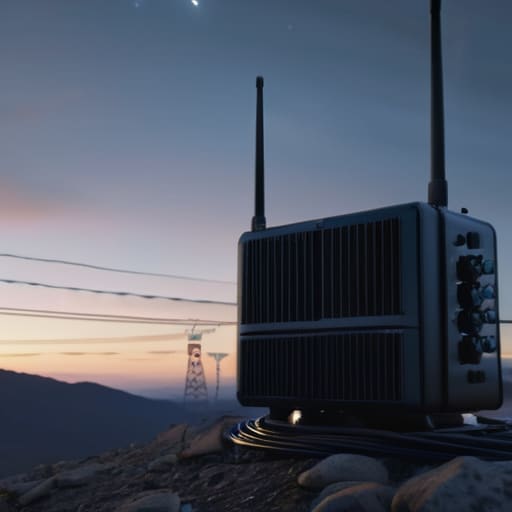
When you strip away the glossy brochures from the big manufacturers, an unmanned station architecture is really just a collection of hardware that needs to survive without you there to kick it when it acts up. You aren’t just looking at a radio and a computer; you’re looking at a delicate balance of power management, thermal control, and connectivity. If you’re setting up a site on a ridge or in a shed, you need to account for how that gear handles a sudden spike in temperature or a dip in voltage. Most people focus on the transceiver, but the real work happens in the remote monitoring systems that tell you if your cooling fan died or if your battery bank is hitting critical levels before the whole thing goes dark.
The backbone of the whole setup relies on low latency communication protocols to make sure what you hear in your shack is actually what’s happening at the antenna. If there’s a half-second lag between your keydown and the signal hitting the air, you’re going to have a miserable time with CW or even digital modes. It’s not just about speed, though; it’s about stability. I’ve seen plenty of setups fail because the user ignored the jitter in their connection, thinking “it’s just internet,” only to find their signal is unreadable.
Real Time Data Transmission vs Just Hoping for Signal
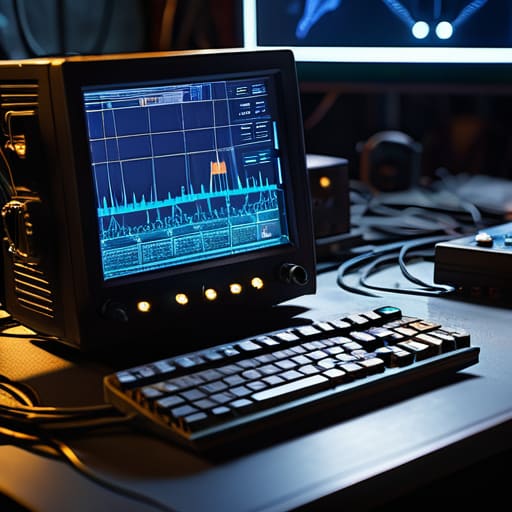
The biggest mistake I see people make when setting up a remote site is assuming that “connected” means “functional.” You can have the most expensive rig in the world, but if your link is stuttering, you aren’t operating; you’re just watching a slow-motion slideshow of a missed contact. True real-time data transmission isn’t just about getting a packet through; it’s about the feedback loop. If you can’t hear the QRM or see the S-meter dancing in sync with the audio, you’re flying blind. I’ve spent too many nights staring at a frozen screen, wondering if the signal was actually there or if my link just died.
This is where the distinction between a hobbyist setup and actual remote monitoring systems becomes vital. You need to be able to see the temperature in the shack, the voltage on the power supply, and the actual SWR on the line without a five-second delay. If your low latency communication protocols are poorly configured, you’ll find yourself chasing ghosts on the band while the real problem is a cooling fan failing three towns away. You don’t want to be guessing; you want to be certain.
Five Things I Learned the Hard Way About Remote Stations
- Don’t trust your local internet connection to be “always on.” I’ve lost more contacts because a router decided to reboot during a DX pileup than I care to admit. If you’re building a remote site, get a router with a dedicated cellular failover; it’s not an extra, it’s a necessity.
- Antenna height is everything, and you can’t fix it from your living room. When I set up my remote station on the ridge last summer, I realized too late that the ground plane was much shallower than I’d calculated. If you can’t physically get there to adjust the wire height or the tilt, you’d better over-engineer your tuner and your antenna design from the start.
- Monitor your power like your life depends on it. A remote station is often just a box in a shed or a pole in a field, and if your battery voltage drops or your solar controller starts acting up, you won’t know until you try to key up and hear nothing but static. Get a remote telemetry system that actually gives you real numbers on voltage and current.
- Heat is the silent killer of remote rigs. People think because the station is “unmanned” it’s fine, but a transceiver sitting in a non-ventilated enclosure in July will drift or shut down faster than you can say “SWR error.” If you aren’t measuring the internal chassis temperature, you aren’t really monitoring the station.
- Redundancy isn’t just a buzzword; it’s your only lifeline. If your primary control link goes down, how are you going to get back in? I always keep a secondary, low-bandwidth way to access the network—something that works even when the main pipe is choked—because “hoping for the best” isn’t a valid engineering strategy.
The Bottom Line: Don't Build a Remote Station Until You Read This
A remote station is only as good as its weakest link in the data chain; if your internet latency is spiking or your remote control software is junk, you aren’t “operating,” you’re just guessing.
Never trust a remote setup that doesn’t give you eyes on the antenna; if you can’t see your SWR or your local weather conditions, you’re flying blind in a storm.
Prioritize reliability over “smart” features—I’d much rather have a rugged, simple connection that stays up during a thunderstorm than a fancy suite of features that crashes the moment the power flickers.
The Reality of Remote Operating
“A remote station isn’t some magic, seamless cloud-based miracle; it’s just a rig sitting in a shed or on a hilltop somewhere else, letting you tweak your settings over the internet so you don’t have to climb a tower every time the SWR jumps or the wind shifts.”
Wren Castellano
The Reality of Going Remote

At the end of the day, a remote station isn’t just a collection of expensive gear connected to a VPN; it’s a calculated trade-off between convenience and control. You’ve seen the math: you’re trading the ability to physically touch your antenna tuner or swap a coax for a better grade in exchange for the ability to operate from your desk while the ionosphere is actually behaving. Whether you’re managing a high-speed data link for an SDR setup or just trying to keep a transceiver alive in a shed five miles away, the success of the station comes down to the reliability of your telemetry and the quality of your link. If you can’t see your SWR or your temperature readings in real-time, you aren’t operating a remote station—you’re just hoping for the best, and in this hobby, hope is a poor substitute for a solid measurement.
Don’t let the complexity of the networking side intimidate you into staying tethered to your local shack. There is a specific kind of magic that happens when you realize you can place a well-engineered antenna on a ridge you can’t easily reach, and suddenly, the DX starts pouring in. Remote operation is about extending your reach beyond the physical limits of your backyard. It’s about building a bridge between your living room and the edge of the band. So, build it right, test your connections until they’re boring, and then get out there and hunt.
Frequently Asked Questions
How much latency am I actually going to deal with when trying to tune an antenna through a remote interface?
Look, if you’re on a fiber connection, the latency is negligible—maybe 20ms—and you’ll feel like you’re standing right in front of the rig. But if you’re running a remote station over a shaky LTE link or a congested satellite hop, you’re looking at 500ms or more. That’s enough to make tuning an antenna feel like trying to drive a car with a two-second delay in the steering. It’s frustrating, but it’s the reality of the link.
Do I really need a dedicated high-speed link, or can I get away with a basic LTE setup for a remote shack?
Look, if you’re just turning a rig on and off to check a DX cluster, a basic LTE dongle is fine. But if you’re planning on running an SDR or doing any real-time waterfall analysis, that high-latency cellular jitter will drive you mad. I tried a standard LTE setup on a ridge last autumn; the signal was great, but the packet delay made tuning a narrow-band filter feel like playing telephone with a laggy satellite. Get the high-speed link if you actually want to see what you’re doing.
What’s the best way to protect my gear from a power surge or a lightning strike when I’m not there to pull the plug?
If you’re leaving a remote rig unattended, don’t just rely on a cheap power strip. You need a dedicated surge protector with a high joule rating, but honestly, the real trick is physical isolation. I always install a heavy-duty, motorized AC disconnect or a high-quality relay that physically breaks the circuit when the station isn’t in use. It’s not as pretty as a software solution, but it’s the only way to be sure a surge doesn’t turn your expensive SDR into a paperweight.
