Category: Gear

  • What Job the Computer in a Shack Actually Does

    What Job the Computer in a Shack Actually Does

    I spent three hours last Tuesday watching a guy in a local club struggle with a $3,000 workstation that was essentially doing nothing but running a glorified web browser. He kept asking me, “Wren, what is a shack computer for, really?” as if there was some magical, industry-standard configuration I was going to reveal. People get so caught up in the idea that you need a liquid-cooled beast with dual monitors just to stay on the air, but most of that is just expensive noise. If you’re buying hardware based on a spec sheet instead of your actual operating style, you’re just decorating a desk you don’t need to decorate.

    I’m not here to sell you on the latest high-end rig or tell you that you need a dedicated server rack to make a contact. My goal is to strip away the marketing fluff and show you how a computer actually functions as a tool for signal tracking, logging, and digital modes. I’ll tell you what I use when I’m setting up on a ridge with a battery pack, and what I use when I’m sitting in a controlled environment. We’re going to focus on utility over hype, ensuring every cent you spend actually helps you hear the signal.

    Table of Contents

    Optimizing Your Ham Radio Workstation Setup
    Optimizing Your Ham Radio Workstation Setup.

    When you start putting together a real ham radio workstation setup, the biggest mistake I see is treating the computer like an isolated island. In my experience, the most common headache isn’t a lack of processing power; it’s computer noise interference in radio. Those switching power supplies in modern PCs are notorious for dumping high-frequency hash right back into your transceiver if you aren’t careful. I’ve spent more nights than I care to admit chasing a broadband noise floor that turned out to be a cheap USB hub sitting too close to my coax. If you can, keep your radio gear on a separate power circuit from your monitor and peripherals, or at the very least, use high-quality ferrite beads on every single cable that crosses your desk.

    Once you’ve cleaned up the RF environment, you can actually focus on the workflow. Your amateur radio software requirements will shift depending on whether you’re chasing DX on SSB or operating digital modes on PC like FT8. If you’re going the digital route, don’t skimp on a solid, low-latency sound card or a decent interface; a jittery audio stream will ruin your decodes faster than a bad antenna height ever could. I usually keep a dedicated machine for my amateur radio logging software to ensure that even if my main rig freezes during a heavy Windows update, my contacts are already safely tucked away in the database.

    Mastering Operating Digital Modes on Pc
    Mastering Operating Digital Modes on Pc.

    If you’re moving from CW or SSB into the digital realm, your PC stops being a secondary device and starts becoming the heart of the station. When you’re operating digital modes on PC, like FT8 or JS8Call, the computer isn’t just displaying text; it’s performing the heavy lifting of signal processing and decoding. This is where your amateur radio software requirements get specific. You aren’t just looking for a program that works; you need low-latency execution and precise timing. If your system clock drifts, your decodes will suffer, no matter how good your antenna is.

    However, there is a catch that most newcomers miss until they see a mess of noise on their waterfall. The more you rely on the machine, the more you have to worry about computer noise interference in radio. High-speed data buses and switching power supplies in a modern desktop can bleed RF right back into your transceiver if you aren’t careful. I’ve spent more nights than I care to admit troubleshooting a “noisy” band only to realize my USB isolator was failing. Keep your signal chain clean, use high-quality shielded cables, and don’t assume that just because it’s digital, it’s immune to the laws of physics.

    Five Ways Your PC Actually Earns Its Keep in the Shack

    • Logging without the headache. You can use a spreadsheet if you want to suffer, but a dedicated logging program connected to your rig is how you actually keep track of signal reports and frequency shifts without spending three hours after a session trying to remember what happened on 20 meters.
    • Managing the digital flood. If you’re moving into FT8 or JS8Call, your computer isn’t just a luxury; it’s the modem, the decoder, and the interface all rolled into one. Without a decent processor and a stable clock, you’re just staring at noise.
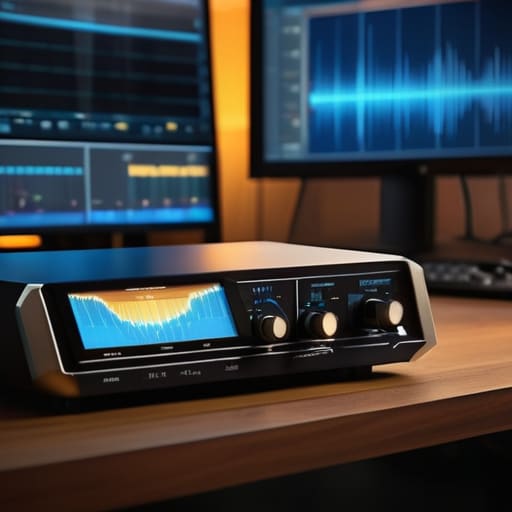
    • Real-time signal visualization. I don’t care how much you love a classic analog S-meter; seeing a waterfall display on an SDR software suite tells you more about the local noise floor and the incoming signal than a needle ever could.
    • Remote operation and station control. A good shack computer lets you bridge the gap between your desk and your antenna tuner. If you’ve got your rig integrated via USB, you can tweak your settings or check your SWR without having to get up and fumble with knobs in the dark.
    • Automation and telemetry. For those of us running solar or battery setups in the field, the PC is your eyes. Using it to monitor voltage drops or temperature via a serial connection means you find out your battery is dying before the rig goes silent mid-contact.

    The Bottom Line: Is the PC Worth the Desk Space?

    Don’t let the “gear acquisition syndrome” trick you into buying a liquid-cooled gaming rig just to run FT8; if your goal is digital modes, you need stability and a solid interface, not a thousand dollars of unnecessary RGB lighting.

    A shack computer is only as useful as your ability to integrate it; if you can’t get your CAT control talking to your transceiver or your logging software syncing with your signal, you’ve just bought a very expensive way to browse the web.

    Always build in a buffer for your setup—whether that’s extra RAM for running multiple SDR instances or enough ports for your external radio control units—because once you’re mid-session and the bands open, the last thing you want is a driver conflict or a system freeze.

    More Than a glorified terminal

    At the end of the day, your shack computer isn’t just there to run some fancy logging software or display a waterfall; it’s the bridge between the analog chaos of the airwaves and the data we need to actually make sense of it. If you aren’t using it to track propagation or manage your digital modes, you’re just staring at a very expensive, very bright way to get distracted from the actual radio.

    Wren Castellano

    Bringing It All Together
    Bringing It All Together with reliable interfaces.

    At the end of the day, your shack computer is a tool, not a trophy. Whether you’re using it to manage complex digital modes, run real-time spectrum analysis on an SDR, or just keep your logging from becoming a disorganized nightmare, it has to serve the mission. I’ve seen too many operators spend thousands on a high-end rig only to realize their PC is a bottleneck because they didn’t account for latency or USB bus noise. Remember that a good setup isn’t about having the most processing power; it’s about having a reliable interface between your ears and the airwaves. If your computer is stable, your operating session will be, too.

    Don’t let the sheer amount of gear and software overwhelm you. You don’t need a liquid-cooled gaming rig to make a contact on 20 meters, but you do need a system that you actually understand. There is a specific kind of satisfaction in knowing exactly how your signal is being processed from the antenna wire all the way to the digital logbook. Radio is one of the last places where you can still grasp the entire chain of what you’re doing. So, build your station with intention, test your connections, and then get out of the chair and go find some signal.

    Frequently Asked Questions

    Do I really need a dedicated PC for my shack, or can I just run everything off my laptop?

    Look, if you’re just running FT8 on a quiet Tuesday, your laptop is fine. But there’s a difference between “it works” and “it works when the bands are opening.” A dedicated shack PC handles the heavy lifting—logging, DSP, and running multiple software-defined radio streams—without you worrying about a Windows update killing your contact mid-pileup. Plus, it stays in the shack. If you take your laptop to the kitchen, you aren’t really operating, are you?

    How much processing power do I actually need for digital modes versus just running logging software?

    Look, if you’re just running Winlog32 and a basic logging program, you could probably run that on a toaster from 2005. It’s just text and database entries; it doesn’t need muscle. But the moment you move into FT8 or wideband waterfall displays on an SDR, you need real CPU headroom. If your processor is struggling to decode the signal while simultaneously trying to update your log, you’ll miss contacts. Get a decent modern i5 or equivalent—don’t overspend, but don’t starve the software either.

    What’s the best way to protect my computer from RFI and power surges when I'm running high-power modes?

    First, stop thinking of your computer as a separate entity; once it’s connected to your rig, it’s part of the RF environment. I’ve fried more than one motherboard by ignoring the common ground. Use a high-quality, double-shielded USB cable—don’t skimp here—and get a dedicated power conditioner, not just a cheap strip from the grocery store. If you’re pushing real wattage, a ferrite bead on your data lines is non-negotiable to keep that RFI from turning your screen into a mess of static.
  • How to Choose an Swr Meter That Tells the Truth

    How to Choose an Swr Meter That Tells the Truth

    I remember sitting in my workshop a decade ago, staring at a piece of gear that promised “precision accuracy” but gave me readings that fluctuated wildly every time I breathed on the coax. I spent three hours troubleshooting a perfectly fine dipole, only to realize my meter was essentially a glorified random number generator. Most people think learning how to choose a swr meter is about finding the one with the most colorful LED display or the highest price tag, but that’s a trap. If you aren’t getting a reading that actually correlates with what your antenna is doing at a specific height above ground, you aren’t measuring anything—you’re just guessing.

    I’m not here to sell you on the latest overpriced gadget from a brand name you see in every magazine. My goal is to cut through the marketing fluff and tell you what actually matters when you’re out in the field or sitting at your shack. I’ll show you how to distinguish between a tool that provides real data and one that just provides noise. We’re going to look at frequency range, power handling, and why some “digital” upgrades are actually a step backward for a serious operator.

    Table of Contents

    The Vswr vs Swr Difference Accuracy Over Anecdotes

    The Vswr vs Swr Difference Accuracy Over Anecdotes

    Here is the truth that most of the glossy manuals won’t tell you: “SWR” and “VSWR” are often used interchangeably in casual conversation, but if you’re looking at a spec sheet, that distinction matters. When we talk about the vswr vs swr difference, we are really talking about the mathematical relationship between the forward and reflected power. Most of the cheap, non-directional meters you see online are just measuring the ratio of the voltage at the antenna, but they aren’t actually telling you how much energy is being thrown back at your rig.

    If you want to stop guessing, you need to look for directional couplers in meters. A true directional meter doesn’t just give you a number; it separates the forward power from the reflected power. This is vital because a cheap meter might show a “perfect” 1:1 ratio simply because it isn’t sensitive enough to see the reflected wave, leaving your finals to cook in silence. I’ve seen too many people trust a reading, only to realize later that their antenna tuning equipment was essentially blind to the actual impedance mismatch. If the meter can’t tell the difference between the power going out and the power coming back, it isn’t a tool—it’s a toy.

    Why Directional Couplers in Meters Define Your Real Data

    Why Directional Couplers in Meters Define Your Real Data

    Most people treat an SWR meter like a simple “go/no-go” gauge, but if you want to actually understand your feedline, you need to look at how the device handles the signal. This is where directional couplers in meters become the deciding factor between a tool that lies to you and one that tells the truth. A decent coupler allows the meter to sense both the forward and reflected power simultaneously. Without that internal architecture, you aren’t actually performing a standing wave ratio measurement; you’re just looking at a glorified voltage needle that might be reacting to phantom reflections or impedance mismatches it can’t actually resolve.

    I’ve lost count of how many times I’ve seen someone struggle with a high-impedance antenna only to have their cheap meter claim everything is fine. If the coupler isn’t precise, your antenna tuning equipment is essentially useless. You need a device that can distinguish between a genuine mismatch at the antenna and a problem sitting in your coax. If you aren’t getting a reading that accurately reflects the relationship between forward and reflected energy, you’re just guessing—and in RF, guessing is how you end up blowing a final transistor.

    Five Things I Look For Before I Open My Wallet

    • Stop chasing the high-frequency specs on the box. A meter might claim it works up to 500 MHz, but if it’s garbage at 14 MHz, it’s useless for most of us. I always check the accuracy rating at the specific bands I actually use—usually 20m and 40m—because a “wide range” is often just a polite way of saying “vague.”
    • If it doesn’t have a way to measure forward power separately from reflected power, walk away. You need to see the actual energy going into the wire to understand if your tuner is actually doing its job or just masking a bad connection. I’ve seen too many people think they have a perfect match when they’re actually just driving a high-impedance mess.
    • Look for a meter with a decent dynamic range. If you’re running a low-power QRP rig on a hill and then switch to a 100W transceiver, a meter that clips or becomes unreadable at higher power levels is just another piece of weight in your pack. I want a needle (or a digital readout) that stays meaningful whether I’m sipping microwatts or pushing real juice.
    • Don’t overlook the physical connection quality. In the field, or even in a crowded shack, those cheap, flimsy BNC connectors can introduce more loss and error than the meter itself. I prefer something with robust, screw-on type connectors that won’t wiggle loose when you’re trying to get a reading in a bit of wind.
    • Decide if you actually need the digital “bells and whistles.” A bright, backlit LCD looks great in a showroom, but if it’s a cheap chip that drifts every time the temperature drops, it’s a liability. I’ll take a solid, analog needle that I can read by the light of a headlamp over a finicky digital display that loses its calibration the moment the sun goes down.

    The Bottom Line Before You Buy

    Stop chasing the “best” brand name and start looking at the specs for the coupler; if the meter doesn’t specify its directional accuracy or its frequency range, it’s just a glorified light show.

    Understand that a low SWR reading is useless if your meter can’t distinguish between a reflected wave and a mismatch caused by a bad cable—get a directional coupler or don’t bother.

    Remember that your meter is only as good as the environment it’s measuring; a reading taken at 2 meters above the ground is a different beast entirely than one taken on a 50-foot mast, so always keep your antenna height in mind when interpreting your data.

    Stop Chasing the Numbers, Start Chasing the Truth

    Look, I’ve seen too many people walk into a shop, buy the prettiest meter with the brightest LED display, and walk right back out into a setup that’s actually failing. If your meter can’t tell the difference between a true VSWR reading and a ghost number caused by a cheap, non-directional coupler, you aren’t measuring your antenna—you’re just watching a light show. I’d rather have a boring, analog needle that actually tracks with my real-world impedance than a digital screen that tells me everything is fine while my finals are cooking.

    Wren Castellano

    Don't Just Chase the Lowest Number

    Don't Just Chase the Lowest Number.

    At the end of the day, picking a meter isn’t about finding the one with the prettiest backlit display or the most buttons. It’s about ensuring that when you see a reading of 1.5:1, it actually means your antenna is matched, rather than just being a byproduct of a cheap, poorly designed coupler. You need to prioritize directional accuracy and a device that can handle the actual power levels you intend to run. If you’re working high-power HF, don’t settle for a meter that’s going to drift the moment the components warm up. Remember, a meter is only as useful as the integrity of its measurements; if you can’t trust the data, you’re just playing a guessing game with your expensive finals.

    Radio is a hobby of connection, but that connection starts with the physics happening right in front of your eyes. There is a specific kind of satisfaction in tuning an antenna, watching that meter drop, and knowing—for a fact—that you’ve done the work correctly. Don’t let the gear become a black box that you just take on faith. Get something reliable, learn how it behaves under load, and use it to bridge the gap between your shack and the rest of the world. Once you stop guessing and start measuring, the airwaves start to feel a lot more accessible.

    Frequently Asked Questions

    If I’m using a high-power transceiver, how do I know if a cheap meter is actually going to survive the heat or if it's just going to cook its own internal components?

    Look at the power rating on the internal components, not just the sticker on the box. A cheap meter might claim it handles 100W, but if the internal traces are thin as a hair, that heat has nowhere to go. If you’re running a high-power rig, you need something with beefy, heavy-gauge components. If the meter feels hot to the touch after a five-minute SSB session, it’s not “working”—it’s dying. Get something built for the thermal load.

    Does it really matter if the meter is inline or a remote sensor, or am I just paying extra for a different way to see the same number?

    It’s not just about the number; it’s about where you’re standing when you read it. An inline meter is fine for a bench setup where you can keep everything tidy, but if you’re out on a hill with a portable rig, you want a remote sensor. Trying to squint at a meter buried in a coax run while you’re wrestling with a wire antenna is a recipe for frustration. Pay for the remote sensor—it lets you actually see what’s happening without moving your gear.

    Can I trust a digital meter that shows a single number, or do I actually need something that shows me the trend as I’m tuning the antenna?

    If you’re just looking for a single number, you aren’t tuning an antenna; you’re playing a guessing game. A static reading tells you where you landed, but it won’t tell you how you got there. I need to see the trend—the way that needle or digital bar dances as I move the tuner or adjust the wire. Without that real-time sweep, you’ll miss the sweet spot entirely and end up settling for “good enough” when “perfect” was just a half-turn away.

  • Receive-only Antennas and the Switching You Need

    Receive-only Antennas and the Switching You Need

    I spent three hours last Tuesday troubleshooting a high-SWR reading on a dipole, only to realize I was trying to force a signal through a setup that was never meant to talk back. It’s one of those moments that makes you want to pack up the gear and head home, but it highlights a fundamental misunderstanding that I see all the time in the clubs: people get hung up on the complexity of hardware when they should be looking at the purpose. When someone asks me what is a receive only antenna, they’re usually looking for a magic bullet to fix their signal-to-noise ratio, but the truth is much more practical than the marketing brochures suggest.

    I’m not here to sell you a specialized, gold-plated piece of wire that promises to pull signals out of thin air. Instead, I’m going to give you the real breakdown of how these systems actually behave in the field. I’ll tell you which configurations are worth your time, which ones are just expensive paperweights, and exactly how much height you actually need to make a difference. If you want the textbook definition, go buy a manual; if you want to know how to actually hear something when the noise floor is climbing, stay with me.

    Table of Contents

    Decoding Frequency Band Sensitivity and Real World Performance

    Decoding Frequency Band Sensitivity and Real World Performance

    When you’re looking at specs, don’t get blinded by a massive range of frequencies. A piece of gear might claim it covers everything from 100 kHz to 3 GHz, but that’s often just marketing fluff. In my experience, frequency band sensitivity is where the rubber meets the road. A receive-only antenna designed specifically for HF is going to behave fundamentally differently than one tuned for VHF/UHF. If you try to use a wideband whip meant for everything, you’ll likely find that your antenna signal-to-noise ratio takes a massive hit because the antenna isn’t effectively “rejecting” the noise outside your band of interest.

    This brings us to the choice between passive vs active antenna systems. If you’re running a passive loop a few meters off the ground, you’re relying on the raw physics of the element. It’s honest, and it’s hard to mess up. But if you move into active territory—adding a low-noise amplifier (LNA) right at the element—you’re trading simplicity for raw gain. I’ve seen people think an active antenna is a magic bullet, but if your LNA is cheap or poorly shielded, you aren’t amplifying the signal; you’re just amplifying the local interference from your neighbor’s LED lightbulbs.

    Dedicated Receiver Antenna Benefits vs the Marketing Hype

    Dedicated Receiver Antenna Benefits vs the Marketing Hype

    The marketing brochures for these setups love to use words like “unprecedented clarity,” but let’s be honest: they’re often just selling you a high-gain whip that’s going to pick up every bit of local interference you can imagine. The real dedicated receiver antenna benefits aren’t found in a glossy PDF; they’re found in the noise floor. When I’m sitting on a ridge trying to pull a weak signal out of the mud, I don’t care about “ultra-wideband” promises. I care about whether the antenna is actually improving my antenna signal-to-noise ratio or if it’s just amplifying the garbage along with the signal.

    In my experience, the biggest trap is the confusion between passive vs active antenna systems. An active antenna with a built-in LNA can be a godsend for pulling in signals on higher frequencies where loss is a killer, but if you put a cheap, noisy amplifier on a low-band setup, you’re just making your problems louder. I’ve seen people spend hundreds on “specialized” gear only to realize their local FM station is completely drowning out their SDR. Real RF signal reception optimization is about matching the antenna to the environment, not buying the most expensive box on the shelf.

    Five Things I’ve Learned the Hard Way About Dedicated Receivers

    • Don’t let them sell you on “infinite bandwidth.” A receive-only antenna is only as good as its ability to ignore the noise you don’t want. If you’re building a setup for SDR monitoring, focus on the selectivity of the front end rather than just chasing every frequency on the map.
    • Height is still king, even if you aren’t transmitting. I’ve seen people buy a high-end, specialized receive antenna and mount it three feet off the ground behind a brick wall, then wonder why their signal-to-noise ratio is garbage. Get that element up, even if it’s just on a lightweight telescopic pole.
    • Watch out for the “all-in-one” trap. Some manufacturers claim their antenna covers everything from HF to SHF, but in my experience, they usually end up being mediocre at everything and excellent at nothing. If you have a specific interest—say, monitoring maritime bands or local FM—get an antenna tuned for that specific window.
    • Ground plane matters more than the brochure says. Even though you aren’t pumping out 100 watts of RF, the way your antenna interacts with the earth (or your mounting structure) dictates how much local interference you’re going to soak up. I always test my setups with a dedicated ground rod before I call a deployment a success.
    • Always factor in the “noise floor reality.” A receive-only antenna doesn’t just catch signals; it catches everything. If you’re living near a switching power supply or a heavy-duty LED array, your fancy new antenna might just become a very expensive way to listen to your neighbor’s appliances. Always check your local RF environment before you commit to a permanent mount.

    The Bottom Line: When to Actually Invest in a Dedicated Receiver Antenna

    Don’t buy a specialized receive-only antenna just because a manual says it’s “optimized”; if you’re operating a wire dipole at 10 meters above ground, your existing setup will likely outperform a cheap, high-gain commercial receiver antenna every single time.

    The real value isn’t in “magic” sensitivity, but in the front-end filtering—buy a dedicated antenna if you’re struggling with local RFI or nearby broadcast stations that are currently slamming your receiver’s AGC into the floor.

    Before you spend a dime, check your environment; a high-quality receive antenna is useless if you’re sitting in a concrete basement or a valley where the local noise floor is already high enough to drown out everything but the strongest DX signals.

    The Reality of the "Specialized" Label

    Look, calling something a ‘receive-only antenna’ is often just a marketing way to sell you a piece of wire that lacks a high-voltage insulator. In practice, it’s about the trade-off: you’re giving up the ability to punch a signal through the atmosphere in exchange for a front end that isn’t being slammed by your own transmitter’s reflected power. If you’re building a dedicated monitoring station at 2 meters above ground, a receive-only setup is a smart way to keep your noise floor low; if you’re just buying a cheap stick because the box says ‘RX Only,’ you’re probably just wasting your money.

    Wren Castellano

    Cutting Through the Noise

    Cutting Through the Noise with antennas.

    At the end of the day, a receive-only antenna isn’t some magic wand that will pull a whisper out of a hurricane, but it is a tool that lets you stop compromising. We’ve talked about why you don’t need to pay for a high-voltage, transmit-rated element if you aren’t planning on pushing power through it, and why matching the antenna to your specific frequency range matters more than any fancy brand name on the box. Whether you’re setting up a dedicated SDR station or just trying to clear up the local noise floor for some casual monitoring, remember that height above ground is still your best friend. If you mount a high-gain receive antenna at two meters when it needs ten, you’re just wasting your time and your budget.

    Radio is a physical, messy science, and sometimes the best way to learn is to stop trying to make one piece of gear do everything. Don’t be afraid to build a dedicated, “dumb” wire antenna just for listening; there is a certain kind of quiet satisfaction in knowing exactly why your signal-to-noise ratio just improved by 3dB. We spend so much time chasing the latest digital modes and software-defined miracles that we sometimes forget that the fundamental battle is always between your antenna and the environment. Go out, get your antenna up high, and actually listen to what the airwaves are telling you.

    Frequently Asked Questions

    If I'm already using a multi-band HF antenna, when does adding a dedicated receive-only wire actually move the needle on my signal-to-noise ratio?

    If your multi-band wire is already hung 15 meters up and performing well, a dedicated receive antenna won’t be a magic bullet. You’ll see a real needle move only when your current setup is physically compromised—like when you can’t get a high enough takeoff angle for a dedicated wire, or if your main antenna is sitting in a high-noise environment near a window. If you can’t separate the antennas by at least a few wavelengths, you’re just adding clutter.

    Can I actually use a receive-only antenna with my existing rig, or am I going to need a separate SDR or receiver to make it worth the cable run?

    You can absolutely plug it into your existing rig, but you have to be smart about it. If you’re just running a coax line from a dedicated RX antenna into your transceiver’s accessory port or a secondary antenna jack, you’re golden. But if you’re trying to use it on your main transmit antenna port, you’re just adding complexity for no gain. Honestly? If you’ve already gone through the trouble of a long cable run, you might as well feed a cheap SDR. That way, you aren’t tying up your main station just to listen.

    How much does antenna height above ground actually affect my ability to pick up weak signals if I'm only listening and not transmitting?

    It matters more than the marketing brochures will ever tell you. Even if you aren’t pushing power, height is your best friend for overcoming the noise floor. If you’ve got a wire antenna sitting at 2 meters, you’re mostly just collecting local electromagnetic smog. Get that same wire up to 10 meters, and you’ve cleared the immediate clutter, giving those weak, distant signals a much cleaner path to your front end. Height is signal.

  • How to Pick a Battery for a Day in the Field

    How to Pick a Battery for a Day in the Field

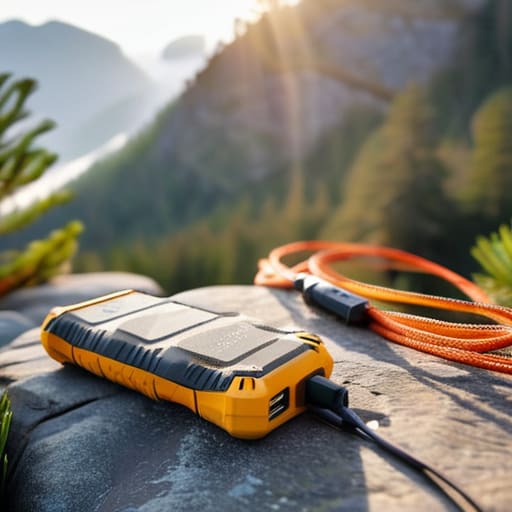
    I was three miles up a ridge in the Catskills last October, staring at my transceiver’s dying display, when I realized my “high-capacity” brick was nothing more than a glorified paperweight. I had spent forty minutes calculating my link budget, only to be undone because I trusted a shiny sticker instead of a load test. Most people approach learning how to pick a portable power bank by reading the marketing fluff on the box, but if you’re running sensitive RF gear or even just a modern smartphone, those mAh ratings are often total fiction. They tell you what the cells can hold in a vacuum, not what they can actually deliver when the voltage starts to sag under a real load.

    I’m not here to sell you on a specific brand or repeat the same tired specs you’ve seen on every retail site. Instead, I’m going to show you how to look past the glossy packaging and focus on the metrics that actually matter: voltage stability, discharge rates, and real-world efficiency. I’ve put these units through the ringer with my own test gear, and I’ll tell you exactly which ones hold their line and which ones are just expensive junk waiting to fail you when you’re off the grid.

    Table of Contents

    Mah vs Wh Explained Why Marketing Numbers Are Often Lies

    Mah vs Wh Explained Why Marketing Numbers Are Often Lies

    If you’re looking at the back of a box and only seeing a massive number followed by “mAh,” you’re being sold a half-truth. Manufacturers love milliamp-hours because it’s a big, shiny number that looks impressive on a retail shelf, but it’s a mathematically incomplete metric. The problem is that mAh doesn’t tell you anything about the energy density or the voltage at which that capacity is being delivered.

    To actually understand what you’re carrying in your pack, you need to look at the Wh (Watt-hours). This is where the real math happens. A 10,000mAh battery at 3.7V is a very different beast than a 10,000mAh battery at a higher voltage. When I’m planning a weekend of portable operating, I don’t care about the milliamp count; I care about the total energy budget. If you’re trying to calculate how many hours your SDR or transceiver will run before the lights go out, stop looking at the mAh and start calculating the Wh. It’s the only way to get a realistic sense of your runtime versus the portable battery weight and size you’re forced to lug up a ridge.

    Lithium Ion vs Lifepo4 Comparison Measuring Real Battery Cycle Life

    Lithium Ion vs Lifepo4 Comparison Measuring Real Battery Cycle Life

    Most manufacturers will push Lithium-ion (Li-ion) because it’s light and cheap to mass-produce, which is great if you’re just charging a phone on a train. But when I’m packing for a weekend on a ridge, I look at the chemistry differently. Li-ion cells are fine, but they’re temperamental; they don’t like being drained to zero, and they definitely don’t like heat. If you’re looking for a long-term investment, a lithium ion vs lifepo4 comparison shows a massive gap in longevity. I’ve seen Li-ion packs start to lose their “oomph” after maybe 300 to 500 cycles, whereas LiFePO4 cells can often push past 2,000 cycles without breaking a sweat.

    The trade-off is almost always portable battery weight and size. LiFePO4 is significantly heavier and bulkier for the same amount of energy stored. If you’re hiking five miles to a summit, that extra pound in your pack matters. However, if your goal is a stationary setup or something that sits in your kit for years, the battery cycle life of LiFePO4 makes it the clear winner. I choose my chemistry based on the mission: Li-ion for the lightweight sprint, LiFePO4 for the long haul.

    Stop Guessing and Start Measuring: 5 Rules for Real-World Power

    • Look at the discharge curve, not just the capacity. A power bank might claim 20,000mAh, but if the voltage sag is aggressive once you hit a 2A load—like when your SDR or handheld rig starts pulling peak current—that capacity is useless. I’ve seen banks that look great on paper but drop below usable voltage the second you actually try to do work with them.
    • Check the actual output voltage stability. If you’re powering sensitive radio gear or a laptop, you don’t want a unit that fluctuates wildly every time the internal regulator struggles. I always check if the output stays within a tight tolerance; if the manufacturer won’t list the ripple or voltage regulation specs, they’re likely hiding a cheap, noisy circuit.
    • Factor in the conversion tax. You aren’t getting 100% of that rated capacity into your device. Between the heat loss in the boost converter and the inherent inefficiency of moving energy from 3.7V internal cells up to 5V or 12V, you’re realistically looking at about 65-75% efficiency. If you need 40Wh of actual energy for a long weekend on a hill, don’t buy a 40Wh bank; buy a 60Wh one.
    • Prioritize port versatility over “fast charging” buzzwords. I don’t care if it claims to charge a phone in twenty minutes if it doesn’t have a stable USB-C PD (Power Delivery) output that can negotiate the correct voltage for your specific gear. Make sure it has enough high-draw ports to handle your primary device and your backup without the whole unit overheating and thermal-throttling into oblivion.
    • Weigh the trade-off between density and durability. High-density lithium-polymer packs are great for keeping your pack weight down on a hike, but they’re finicky. If you’re roughing it in the field, a slightly heavier LiFePO4-based unit or a more robustly encased cell is worth the extra grams because it won’t quit on you just because the temperature dropped ten degrees or you bumped it against a rock.

    The Bottom Line Before You Pack Your Bag

    Stop obsessing over the mAh rating on the sticker; look at the Watt-hours (Wh) instead, because that’s the only number that actually tells you how much work your radio can do before the voltage sags and your rig shuts down.

    If you’re planning a multi-day trek, prioritize LiFePO4 cells even if they’re heavier; I’ve measured the discharge curves, and they hold a steady voltage long after standard Lithium-Ion packs start dropping off and leaving you with nothing but a dead transceiver.

    Always budget for a 20% loss in capacity due to heat and conversion inefficiency—if your math says a pack will run your rig for five hours, expect four, especially if you’re operating in the sun or using a high-draw SDR.

    The Voltage Trap

    Stop obsessing over the mAh printed on the side of the casing; that number is a marketing abstraction that assumes a perfect world. If you’re out on a ridge trying to keep a transceiver alive, you need to look at the Wh and the actual voltage sag under load. I’ve seen plenty of “high-capacity” bricks that look great on paper but drop their voltage the second you hit the PTT, leaving you with nothing but a dead radio and a long walk back down the hill.

    Wren Castellano

    Stop Guessing and Start Measuring

    Stop Guessing and Start Measuring battery capacity.

    At the end of the day, picking a power bank for your field kit isn’t about finding the biggest number on the sticker; it’s about finding the one that actually holds its line when the load gets heavy. I’ve learned the hard way that a high mAh rating means nothing if the voltage sag kills your SDR or prevents your transceiver from hitting its rated output. You need to look past the marketing fluff and prioritize real-world Wh ratings and chemistry that can handle the cycles. Whether you go with the high energy density of Lithium Ion or the rugged longevity of LiFePO4, make sure you’re testing for actual capacity under load before you trust that battery to be your lifeline on a remote ridge.

    Radio is about being prepared for the variables we can’t control—the shifting ionosphere, the sudden rain squall, or the terrain that eats your signal. Your power source shouldn’t be another variable you’re sweating over. When you build a kit based on measurements rather than hearsay, you gain something more valuable than just extra runtime: you gain predictability. There is a quiet, immense satisfaction in sitting out on a hill, knowing exactly how many hours of operation you have left because you did the math beforehand. So, go out there, test your gear, and then get on the air.

    Frequently Asked Questions

    If I'm running a high-draw SDR or a portable transceiver, how much does the actual voltage sag matter when the battery gets below 20%?

    It matters more than most people realize. When you’re pushing a high-draw transceiver, that voltage sag isn’t just a number on a display; it’s the difference between a clean signal and a rig that resets every time you key the mic. I’ve seen SDRs lose their lock on a signal simply because the voltage dipped below the regulator’s threshold. If you’re below 20%, don’t trust the “remaining time”—trust your voltmeter.

    Is there a real-world difference in efficiency between a power bank with built-in AC inversion versus just running straight DC through a buck-boost converter?

    Look, if you’re trying to squeeze every minute of operating time out of a small pack, stay away from the built-in AC inverters. They are incredibly inefficient. You’re taking DC, converting it to AC, and then your rig’s power supply is converting it right back to DC. You’re losing massive amounts of energy to heat in that middle step. Run straight DC through a decent buck-boost converter instead; it’s much cleaner and far more efficient.

    How much "phantom drain" should I expect to lose just by leaving the power bank in my pack overnight while it's sitting idle?

    If you’re leaving a decent quality unit in your pack, you shouldn’t see more than a 1-3% drop overnight. If you wake up and you’re down 10%, something is wrong. It’s usually either a cheap protection circuit that isn’t actually “off,” or you’ve got a USB cable plugged in that’s acting like a tiny, parasitic load. I’ve seen mid-range banks bleed out just because their internal voltage regulator stays awake. Check your connections.

  • Automatic or Manual Tuner: What You Give Up

    Automatic or Manual Tuner: What You Give Up

    I was up on a ridge in the Cascades last October, shivering in a light wind, trying to squeeze a signal out of a wire antenna that was behaving more like a wet noodle than a radiator. I had this brand-new, high-end tuner sitting on my camp table—the kind of gear that costs more than my first car—and it was doing absolutely nothing but turning electricity into wasted heat. It made me realize that a lot of the marketing fluff out there is designed to separate you from your money, not to actually match your impedance. When people ask me what is an atu worth, they’re usually looking at a spec sheet, but they should be looking at the actual thermal stability and the range of SWR it can handle before it gives up the ghost.

    I’m not here to sell you on the latest shiny box or defend the big manufacturers just because they have a nice logo. My goal is to give you the ground truth based on what I’ve actually measured in the field and on the bench. I’ll tell you when a cheap manual tuner is actually the smarter investment for a portable setup, and I’ll tell you when a premium model is just a glorified paperweight. We’re going to look at real-world performance, not just what the brochure says.

    Table of Contents

    Hf Antenna Tuner Cost vs Real World Performance

    Hf Antenna Tuner Cost vs Real World Performance

    I’ve spent enough time staring at an SWR meter to know that a lower number doesn’t always mean a better signal. When you’re looking at an antenna tuner price comparison, you’ll see everything from $50 handheld boxes to $800 rack-mounted units. The trap is thinking that the most expensive one will magically fix a poorly designed wire. I once tried to use a high-end automatic tuner on a dipole that was practically touching a tree branch; it struggled just as much as my cheap manual tuner did. The reality is that impedance matching importance isn’t just about hitting 1:1; it’s about how much power the unit can actually shed as heat while it’s doing the heavy lifting.

    If you’re deciding between an automatic vs manual antenna tuner, think about your operating style. If you’re a POTA enthusiast hiking up a ridge, you want something lightweight and efficient, not a heavy brick that eats your battery. I’ve found that a solid manual tuner often gives me more confidence because I actually know what the internal components are doing. At the end of the day, you aren’t just buying a box; you’re buying the ability to stay on frequency when the environment gets messy.

    Impedance Matching Importance More Than Just Lower Swr

    Impedance Matching Importance More Than Just Lower Swr

    Most people get obsessed with the SWR meter, thinking that as long as that needle stays low, they’ve won. But if you’re looking at impedance matching importance through that narrow lens, you’re missing the bigger picture. It isn’t just about protecting your transceiver from reflected power; it’s about how much current you can actually push into your feedline. I’ve sat on ridges with a dipole that was slightly off-resonance, and even with a decent tuner, the sheer difference in how the antenna “breathes” when the impedance is truly optimized is night and day. You aren’t just lowering a number; you’re trying to make the radio and the wire act like a single, cohesive system.

    When you’re weighing up radio transceiver accessories value, don’t just look for a box that hides a bad SWR. Look for one that can handle the reactive load without turning into a space heater. A cheap tuner might get you to 1.5:1, but if it can’t maintain a stable match across a wide bandwidth, you’re just masking a poorly designed system. A good tuner manages the phase, not just the magnitude.

    Five Things to Check Before You Open Your Wallet

    • Stop obsessing over the SWR meter and look at the thermal management. A cheap tuner might show a perfect 1:1 on your screen, but if it’s tucked in a tiny plastic housing with no heat sinking, it’s going to cook its internal components the moment you try to push 100 watts during a long DX session. I’ve seen more tuners die from overheating than from actual impedance mismatches.
    • Check the actual range of the variable components. Some of these budget units claim they can match anything, but they’re really just cycling through three or four fixed steps. If you can’t see a smooth, continuous adjustment in the capacitance, you’re going to struggle when you’re trying to match a non-resonant wire antenna that’s sitting only 10 feet above the ground.
    • Don’t pay a premium for “automatic” if you aren’t actually going to use the automation. If you’re a portable operator like me, you’ll likely be fine with a manual tuner that lets you dial in the match precisely. Many “auto” tuners are overpriced because of the microprocessor and the extra circuitry, but if you’re mostly working steady state, that extra cost is just dead weight in your pack.
    • Look at the power rating, but take it with a grain of salt. Manufacturers love to say “150W PEP,” but they rarely tell you how that rating changes when the SWR is actually high. If you’re planning to run a linear amplifier, you need a tuner that can handle the reflected power, not just the forward power. I’d rather spend an extra fifty bucks on a unit with a beefier transformer than risk blowing a fuse mid-contact.
    • Evaluate the build quality of the connectors and the chassis. If the RF terminals look like they were salvaged from a toy, walk away. In a high-power environment, those connections need to be rock solid. A loose connection creates its own impedance and heat, which will make even the most expensive tuner in the world perform like a piece of junk.

    The Bottom Line on Your ATU Investment

    Don’t chase a perfect SWR reading at the expense of efficiency; a cheap tuner that “tricks” your rig into seeing 1:1 while burning off 50 watts of your power as heat in a capacitor is just a very expensive heater.

    Base your budget on your actual operating style—if you’re doing portable work on a hill, a lightweight, rugged unit that handles wideband shifts is worth more than a heavy, high-precision lab model that stays bolted to your desk.

    Always prioritize thermal management and component quality over brand names; if the manufacturer won’t tell you what kind of inductors they’re using or how they handle heat under load, you’re paying for the logo, not the engineering.

    The Real Cost of a Match

    Stop looking at the price tag on the box and start looking at the thermal stability of the inductors; a cheap tuner that works in your shack but turns into a heating element the moment you try to push 100 watts into a difficult load isn’t a bargain, it’s a liability.

    Wren Castellano

    The Bottom Line on Your Bottom Line

    The Bottom Line on Your Bottom Line.

    At the end of the day, determining what an ATU is worth comes down to your specific operating style and how much you hate troubleshooting in the dark. If you’re a local repeater enthusiast working with a perfectly matched dipole, a high-end tuner might just be a heavy paperweight on your desk. But if you’re like me—dragging a wire up a ridge and trying to make a contact while the wind is gusting at twenty knots—that tuner is your insurance policy. Don’t get distracted by the digital displays or the brand names; focus on the thermal stability and the range of the matching network. A cheap tuner that hits its limit the moment the sun goes down isn’t a bargain; it’s a frustration you’ll pay for in missed QSOs.

    Ultimately, the gear is just a means to an end. I’ve spent way too much time chasing the perfect spec sheet, only to realize that the best radio setup is the one that actually gets you on the air. Whether you’re using a budget manual tuner or a piece of kit that costs more than my first car, the goal remains the same: making the connection. Don’t let the pursuit of the “perfect” match keep you from actually operating. Get your antenna up, get your impedance sorted, and then go find someone to talk to. That’s where the real value lies.

    Frequently Asked Questions

    If I’m only operating portable on the 40m band, do I really need a high-end tuner, or is a cheap manual one enough?

    If you’re strictly sticking to 40m while portable, a manual tuner is plenty, provided you aren’t fighting a massive mismatch. On 40m, you can usually get a decent wire antenna to play nice with a simple coil-and-capacitor setup. Just don’t expect it to handle a short stub or a heavily loaded loop. If your antenna is at least 20 meters up, a cheap manual unit will do the job without adding unnecessary weight to your pack.

    Can a really expensive tuner actually fix a poorly designed antenna, or am I just throwing money at a bad ground system?

    Short answer? No. You can’t tune your way out of a fundamental design flaw. If your antenna is poorly matched or your ground system is non-existent, an expensive tuner will just work harder—and get hotter—trying to mask the problem. A high-end ATU is meant to bridge the gap between a decent antenna and a specific frequency, not to act as a magic wand for a bad wire. Save your money; fix the antenna first.

    Is it better to buy a dedicated external tuner for my HF rig, or should I just stick with the built-in one and save my budget for better coax?

    Look, if you’re running a short wire in your backyard, the internal tuner is fine. But if you’re actually trying to work a DX station with a long-wire or a mismatched dipole, that built-in unit is going to struggle. It’s designed for small corrections, not heavy lifting. Save the budget for a dedicated external tuner that can actually handle the heat; a better coax helps loss, but it won’t fix a bad match.

  • How to Choose a Morse Key That Suits Your Hand

    How to Choose a Morse Key That Suits Your Hand

    I spent three weeks saving up for a heavy, polished brass paddle because a guy at the local club swore it was the only way to get “real” timing. I thought I was buying a piece of history, but all I actually bought was a hand cramp and a piece of equipment that felt like trying to tap out rhythm on a brick. If you’re currently scrolling through glossy catalogs trying to figure out how to choose a morse key, please, stop looking at the finish. A shiny surface doesn’t make your timing any better, and it certainly won’t help you when you’re operating from a windy ridge at 2:00 AM.

    I’m not here to sell you on the prestige of a brand name or the weight of the metal. My goal is to give you the actual, unvarnished truth based on what happens when you’re actually on the air. I’ll tell you which mechanisms actually respond to your muscle memory and which ones are just overpriced paperweights. We’re going to look at weight, spring tension, and contact reliability—the stuff that actually matters when the signal is weak and the ionosphere is being temperamental.

    Table of Contents

    The Truth About Iambic Paddle vs Single Paddle Mechanics

    The Truth About Iambic Paddle vs Single Paddle Mechanics.

    You’ll see a lot of debate online about iambic paddle vs single paddle setups, and most of it is just people arguing about which way is “correct.” Here’s the reality: an iambic paddle is a piece of logic, not magic. It uses a circuit to ensure that if you press both paddles, you get a perfectly timed alternating stream of dots and dashes. It’s great for speed, sure, but it can also make you lazy. I’ve seen too many operators rely on the machine to do the heavy lifting, and the second their battery gets low or a contact gets dusty, their timing falls apart because they never actually learned the rhythm of the code.

    If you’re looking at CW telegraphy equipment for beginners, don’t feel pressured to jump straight into a high-end electronic paddle. There is something to be said for the manual telegraph key mechanics of a straight key or a simple single paddle. It forces you to develop a sense of timing that stays with you, even when you’re working a portable station on a windy ridge with nothing but a wire antenna and a bit of luck. If you can’t send a clean signal on a simple setup, a fancy iambic circuit isn’t going to save your contact.

    Why Cw Telegraphy Equipment for Beginners Often Fails the Test

    The biggest mistake I see when people start out is treating the purchase of a key like buying a piece of computer hardware—you look at the spec sheet, see a shiny price tag, and assume it’s the “correct” choice. But CW telegraphy equipment for beginners is often marketed with a focus on features rather than feel. You’ll see these high-end, heavy-duty paddles that look like they belong in a museum, but they’re often too stiff for someone who hasn’t developed the muscle memory yet. If you’re fighting the spring tension just to get a clean dot, you aren’t learning Morse; you’re just practicing a forearm workout.

    I’ve seen plenty of newcomers get stuck in the “gear trap,” thinking a complex iambic circuit is a shortcut to fluency. It isn’t. A lot of the entry-level gear lacks proper Morse code key ergonomics, meaning the pivot point is slightly off or the weight distribution is wonky. You end up compensating for the hardware’s flaws instead of focusing on your timing. Sometimes, I’ve actually found that a simple, well-made straight key—even if I had to spend an afternoon improvising Morse code keys with some scrap parts—teaches the rhythm far better than a $300 paddle that does all the work for you.

    Five Things the Catalog Won't Tell You About Your Next Key

    Five Things the Catalog Won't Tell You About Your Next Key
    • Forget the weight for a second and focus on the travel. I’ve seen people spend three hundred dollars on a heavy brass key that feels like pushing a brick through molasses, and I’ve seen lightweight, modular paddles that let you find a rhythm in ten minutes. If the spring tension isn’t adjustable to your specific finger strength, it’s just an expensive paperweight.
    • Don’t get seduced by “professional grade” aesthetics. A key that looks like it belongs in a museum is useless if the contact points are inconsistent. I always check the reliability of the microswitches or the mechanical contacts first; if they don’t provide a crisp, repeatable break, your timing will never be consistent, no matter how much you practice.
    • If you’re looking at an iambic paddle, make sure the controller is actually decent. Some of the cheaper units have a “clunky” hand timing that feels like the machine is fighting you. You want a controller that handles the element spacing smoothly so that when you stop, the sound actually stops, rather than trailing off in a messy, unintentional tail.
    • Consider your environment, especially if you’re like me and take your gear into the field. If you’re operating on a hillside in the wind, a heavy, stable base matters more than a fancy finish. I’d much rather have a rugged, simple paddle that I can secure to a rock than a delicate piece of kit that’s going to slide across my desk every time I try to send a burst.
    • Test the “feel” of the reset. A lot of beginners ignore how the paddle returns to its neutral position. If it’s too snappy, you’ll fight it; if it’s too sluggish, you’ll end up sending “stuck” characters. I always spend a few minutes just tapping out rhythm without even trying to send a letter, just to see if the mechanical reset matches my natural muscle memory.

    The Bottom Line Before You Buy

    Stop chasing the “professional” aesthetic; a key’s performance is measured by how it responds to your specific finger tension, not by how much brass it costs.

    Don’t get trapped in the iambic vs. single paddle debate until you’ve actually sat with both—the “better” mechanic is simply the one that doesn’t fight your natural rhythm.

    Always budget for a decent, adjustable tension mechanism, because if you can’t fine-tune the resistance, you’ll spend more time fighting the hardware than working the band.

    Forget the Brass and the Hype

    Don’t let a shiny piece of polished brass or a high price tag convince you that you’ve found ‘the one.’ A Morse key isn’t a trophy for your desk; it’s a tool for your hand. If the tension isn’t predictable and the contact doesn’t feel consistent every single time you tap it, it doesn’t matter how much it cost—it’s just expensive clutter that’s going to ruin your rhythm when the band gets crowded.

    Wren Castellano

    Cutting Through the Noise

    Cutting Through the Noise: Morse key selection.

    At the end of the day, choosing a key isn’t about finding the most expensive piece of machined brass on the market; it’s about finding the tool that doesn’t fight your hand. We’ve talked about why the iambic versus single-paddle debate is personal, why cheap beginner kits often leave you more frustrated than fluent, and why you need to prioritize mechanical reliability over shiny aesthetics. Don’t get caught up in the marketing fluff or the “must-have” lists from magazines that haven’t updated their testing protocols since the Reagan administration. Whether you go with a heavy manual key for that classic feel or a responsive paddle for high-speed contesting, just make sure it’s something you can actually maintain when you’re out in the field and the wind is picking up.

    Morse code is more than just a way to squeeze a signal through a narrow bandwidth; it’s a direct, tactile connection to the history of this hobby. There is a specific kind of magic that happens when the rhythm of your key finally syncs up with the pulse of a distant station on a fading band. It isn’t always perfect—sometimes the gear fails, and sometimes the ionosphere just decides to go to sleep—but that’s part of the craft. So, pick a key that feels right, trust your own measurements more than the spec sheet, and get out there. The airwaves are waiting, and they don’t care how much your equipment cost, only that you have something meaningful to say.

    Frequently Asked Questions

    Does the weight of the key actually change my timing, or am I just fighting my own muscle memory?

    It’s a bit of both, but mostly it’s physics. A heavy brass key has more inertia; once you start that movement, it wants to keep going. If you’re used to a featherweight paddle, a heavy key will feel like you’re fighting a slow-motion tug-of-war, which throws off your timing. You aren’t just fighting muscle memory; you’re fighting the literal momentum of the metal. Find a weight that matches your hand’s natural rhythm, not your wallet’s depth.

    If I'm planning on doing a lot of portable or SOTA operating, should I prioritize a lightweight paddle over the traditional heavy brass setups?

    If you’re heading up a mountain for SOTA, forget the brass. I’ve lugged enough heavy gear to know that every extra gram feels like a pound by the time you hit the summit. I use a lightweight, high-quality paddle that fits in my pack side pocket. Just don’t go too cheap; if the tension is inconsistent, your timing will suffer. For portable work, portability is a performance metric, not just a convenience.

    How much does the tension adjustment on a paddle really matter when I'm trying to find a consistent rhythm in noisy conditions?

    It matters more than most people realize. If your tension is too light, you’ll find yourself “stabbing” the key in a panic when the QRM gets heavy; if it’s too stiff, you’ll fight the hardware instead of the noise. I’ve found that a slightly higher tension helps maintain a steady rhythm when the ionosphere is acting up. You want enough resistance to give you tactile feedback so your brain doesn’t have to work as hard to find the beat.

  • Panadapters: Seeing the Band Instead of Tuning Across It

    Panadapters: Seeing the Band Instead of Tuning Across It

    I remember sitting in a cramped, humid shack back in the late nineties, staring at a spectrum analyzer that cost more than my first car, trying to figure out why my signal looked like a jagged mess instead of a clean sine wave. I had all the textbooks, but none of them told me how to actually see what my rig was doing to the local noise floor. People will try to sell you on the idea that you need a high-end, rack-mounted laboratory setup to understand your own footprint, but honestly, when people ask me what is a station monitor, they’re usually looking for a way to stop guessing. You don’t need a PhD or a massive budget; you just need a way to verify that your gear is actually doing what the manual claims it is, rather than just shouting into the void.

    In this post, I’m stripping away the marketing fluff to give you the practical reality of monitoring your station. I won’t bore you with theoretical physics that doesn’t apply to a wire antenna on a hill; instead, I’ll show you how to use what you have to catch interference and signal distortion before they ruin your contact. My promise is simple: I will tell you what tools actually provide useful data and which ones are just expensive paperweights.

    Table of Contents

    Real Time Signal Visualization vs Guessing at Your S Meter

    Real Time Signal Visualization vs Guessing at Your S Meter

    We’ve all been there: staring at a flickering S-meter, watching a needle jump, and trying to figure out if that’s a weak DX station or just a local burst of impulse noise from your neighbor’s refrigerator. An S-meter is a blunt instrument; it’s a single number representing total power, but it tells you absolutely nothing about the character of what’s hitting your front end. You’re essentially flying blind, guessing whether you’re looking at a narrow-band signal or a wideband interference spike that’s masking everything else.

    This is where the shift toward real-time signal visualization changes the game. When you move from a simple signal strength indicator to something like a waterfall display or a dedicated spectrum view, you stop guessing. Instead of wondering if a signal is actually there, you can see its footprint. Comparing a spectrum analyzer vs station monitor utility often comes down to this: one tells you how much energy is present, while the other shows you exactly where that energy is sitting in the frequency domain. If you can see the shape of the signal, you can finally tell the difference between a legitimate contact and a ghost in the noise floor.

    Amateur Radio Monitoring Tools That Actually Yield Data

    Amateur Radio Monitoring Tools That Actually Yield Data.

    If you’re looking for actual utility, you have to move past the basic signal strength indicators built into your transceiver. Those little bars on your screen are fine for a rough idea, but they’re notoriously non-linear and won’t tell you if you’re looking at a clean signal or a massive burst of local interference. To get real data, you need tools that show you the shape of the noise. For most of us, that means leaning into SDR-based software. A decent RTL-SDR or an Airspy plugged into a laptop gives you a level of real-time signal visualization that makes a standard waterfall display look like a child’s drawing.

    When people ask about the difference between a spectrum analyzer vs station monitor, they’re usually looking for precision. A dedicated spectrum analyzer is a lab-grade beast meant for finding harmonics or checking filter skirts, but for daily station management, your best amateur radio monitoring tools are actually high-bandwidth SDRs paired with decent logging software. I’ve spent many evenings on a ridge with a portable rig, and I can tell you: if you aren’t seeing the actual bandwidth of the signal on your screen, you aren’t monitoring; you’re just guessing.

    Five ways to actually use a monitor without wasting your time

    • Stop trusting the S-meter alone. An S-meter is just a voltage reading that tells you how much energy is hitting the detector, not necessarily how much signal you’re actually pulling in. A proper monitor—whether it’s a dedicated hardware unit or a software waterfall on your SDR—shows you the actual bandwidth and the noise floor, which is the only way to know if you’re looking at a signal or just a spike of local interference.
    • Watch your noise floor, not just the peaks. I’ve spent too many nights chasing a signal that turned out to be nothing more than a poorly shielded switching power supply in my own shack. If your monitor shows the noise floor jumping every time your fridge kicks in, you aren’t “hearing” more stations; you’re just seeing your own house’s electrical mess.
    • Use a monitor to verify your antenna’s performance. If you change your feedline or move your antenna from 10 meters to 5 meters above ground, you need to see the change in the local noise environment. If the noise floor drops, your antenna is likely better decoupled from the local interference; if it rises, you might be picking up more RFI than actual DX.
    • Monitor the “quiet” times to understand your environment. Don’t just turn the monitor on when you’re hunting for a contact. Leave it running during the quiet hours to establish a baseline. You need to know what “normal” looks like in your specific location so that when the ionosphere shifts or a new neighbor installs a solar inverter, you can actually identify the change.
    • Don’t overspend on “pro” features you’ll never touch. You don’t need a high-end laboratory spectrum analyzer to monitor a station. If you’re working HF, a decent SDR with a clean waterfall display provides more than enough data to see what’s happening. Save your money for better coax or a higher mounting point for your dipole; those will do more for your signal-to-noise ratio than a $2,000 piece of gear ever will.

    The bottom line: Stop guessing and start measuring

    An S-meter is a glorified suggestion; a real station monitor gives you the actual signal strength and noise floor data you need to know if you’re actually making progress or just fighting a local interference source.

    Don’t buy a “monitoring solution” just because the marketing says it’s professional; if it doesn’t show you the relationship between your signal and the noise floor in real-time, it’s just another expensive way to look at pretty colors.

    Remember that even the best monitoring gear can’t fix a bad antenna setup—if your signal looks garbage on the monitor, check your height above ground and your feedline before you start blaming the receiver.

    Beyond the S-meter myth

    A station monitor isn’t just another gadget to clutter your desk; it’s the difference between blindly trusting a needle that’s been calibrated since the Reagan administration and actually seeing the shape of your signal against the noise floor. If you aren’t looking at the real-time data, you aren’t monitoring your station—you’re just guessing.

    Wren Castellano

    Bottom Line: Data Over Guesswork

    Bottom Line: Data Over Guesswork.

    At the end of the day, a station monitor isn’t about collecting more gadgets to clutter your workbench; it’s about moving from guessing to knowing. We’ve talked about why relying on a generic S-meter is a losing game and why you need tools that actually give you a window into what’s happening on the airwaves. Whether you’re using a dedicated hardware monitor or an SDR setup to visualize your signal, the goal is the same: you want to see if your antenna is actually performing at the height you’ve mounted it, or if you’re just fighting a high noise floor you haven’t identified yet. Stop chasing ghosts and start measuring the reality of your RF environment.

    Radio is a beautiful, messy science, and part of that mess is the unpredictability of the ionosphere or a sudden spike in local interference. You can’t control the sun, but you can control how much you actually understand about your own station. Don’t let the complexity of the gear intimidate you; just start with one reliable way to see what you’re actually putting out there. Once you stop operating in the dark, you’ll find that the hobby becomes a lot more rewarding—and a lot more predictable—even when the conditions aren’t. Get the data, trust your eyes, and then go get back on the air.

    Frequently Asked Questions

    Do I actually need a dedicated hardware monitor, or can I just use an SDR dongle and some software to get the same data?

    Look, if you’re just checking if a band is busy, an SDR dongle and some software will do the job just fine. It’s cheap, it’s visual, and it’s plenty for most of us. But if you’re trying to troubleshoot a noisy power supply or a poorly shielded transceiver, that’s where the dedicated hardware comes in. A good hardware monitor has the dynamic range to show you the real problem, whereas an SDR might just clip and call it a day.

    How much does my antenna's height and local noise floor skew the readings I'm seeing on the monitor?

    It’s everything. If you’re sitting in a backyard with a wire antenna six feet off the ground, your monitor is mostly just reporting the local noise floor and ground losses, not the signal you’re hunting. I’ve seen people swear their rig is failing when, in reality, they’re just drowning in RFI from a nearby switching power supply. If you don’t account for your antenna’s height and the local noise, you aren’t measuring signal—you’re just measuring your environment.

    Is there a point where I'm over-analyzing the signal and just wasting time that should be spent on the air?

    Look, I’ve spent more hours than I care to admit staring at a waterfall display, trying to figure out if a spike is a local interference source or a DX station barely above the noise floor. If you’re tweaking your filters for twenty minutes just to shave off a decibel of noise, you’re not operating; you’re procrastinating. If the signal is readable and your SWR is stable, get off the analyzer and make the contact.

  • How to Choose a Portable Mast You Will Take With You

    How to Choose a Portable Mast You Will Take With You

    I once spent three hours wrestling a heavy-duty telescopic aluminum section into a sandy ridge in the Peak District, only to realize I’d over-engineered the solution so badly I couldn’t actually carry my gear back to the car. Most of the advice you’ll find online about how to choose a portable antenna mast focuses on theoretical load capacities or how much “extra” height you can squeeze out of a cheap kit, but they never talk about the physical reality of deployment. If you’re buying a mast based solely on a spec sheet without considering the wind loading at twenty feet or the weight-to-strength ratio for a long hike, you aren’t buying an antenna system—you’re buying a very expensive way to get frustrated in the middle of nowhere.

    I’m not here to sell you on the latest carbon-fiber hype or tell you that every extra foot of elevation is a magic bullet. Instead, I’m going to give you the measured truth based on years of dragging gear up hills and watching things fail when the weather turns. We’ll look at real-world stability, the actual cost of weight, and why the “best” mast is usually the one that actually makes it to the summit in one piece.

    Table of Contents

    Telescopic vs Fiberglass Antenna Poles the Real World Rigidity Test

    Telescopic vs Fiberglass Antenna Poles the Real World Rigidity Test

    I’ve spent enough afternoons wrestling with a gusty ridge to know that the brochure specs for “rigidity” mean very little once you’re actually on the hill. When you’re weighing up telescopic vs fiberglass antenna poles, you have to stop thinking about how they look in a showroom and start thinking about how they behave when a 15-knot breeze hits them. Fiberglass is the darling of the lightweight crowd because it’s forgiving; it has a natural flex that lets it dance with the wind rather than fighting it. But there’s a catch. If you’re trying to support a heavy dipole or a loaded vertical, that flex becomes a pendulum. I’ve seen too many operators lose their patience because their “lightweight” setup was swaying so much they couldn’t even get a stable SWR reading.

    Aluminum telescopic masts, on the other hand, offer a much more predictable wind load resistance for masts. They don’t bow nearly as much, which is great for keeping your radiation pattern consistent, but they are unforgiving. If you push a telescopic pole past its structural limit, it doesn’t bend—it snaps or buckles. I usually tell people to err on the side of a stiffer aluminum section if they are planning on a serious portable radio antenna setup, provided they aren’t hiking five miles to get there. If you go fiberglass, just make sure you aren’t expecting a rock-solid platform.

    Portable Antenna Mast Height Requirements Dont Buy Height You Cant Use

    Portable Antenna Mast Height Requirements Dont Buy Height You Cant Use

    I see this mistake constantly in the forums: someone buys a ten-meter carbon fiber pole because the spec sheet looks impressive, only to realize they have no way to actually deploy it. When you’re looking at portable antenna mast height requirements, you have to stop thinking about the theoretical maximum and start thinking about your actual site. If you’re hiking into a dense canopy or a rocky ridge, that extra three meters of height is just dead weight. I’ve sat on a ridge with a massive pole that I couldn’t even get high enough to clear the local scrub, rendering the whole thing useless.

    The real bottleneck isn’t the length; it’s the interaction between height and the environment. As you extend a mast, your wind load resistance for masts drops off a cliff. A pole that feels rock-solid at three meters becomes a lever that wants to rip your guy-lines out of the ground at seven. Before you commit to a massive vertical, ask yourself if you actually have the ground anchors and the steady hands to manage it when a gust hits. Sometimes, a shorter, more stable setup beats a tall, swaying mess every single time.

    Five Real-World Checks Before You Drop Cash on a Mast

    • Check the wind load, not just the weight. A fiberglass pole might feel light in your pack, but once you’ve got twenty feet of wire and a bit of a breeze hitting it, that pole becomes a sail. If the manufacturer won’t tell you the side-loading limit, assume it’s much lower than you think.
    • Test the deployment in the dark. I’ve spent more than one evening fumbling with locking collars and stuck telescopic sections while the sun was going down and the band was opening. If a mast is a nightmare to set up when you’re tired and it’s getting dark, you won’t use it.
    • Look for replaceable parts, not a single unit. If you snap a section of a cheap aluminum telescopic pole, the whole thing is a paperweight. I always look for systems where I can swap out a single segment or replace a specific locking mechanism without buying a whole new kit.
    • Don’t ignore the footprint. A mast that needs a massive guyed setup is great on paper, but if you’re hiking in on a narrow ridge, you don’t have the room for three different guy lines. Choose a mast that works with the actual terrain you plan to walk into.
    • Verify the connection point stability. A lot of these poles have a tiny, flimsy mounting point at the top that’s barely meant for a lightweight whip. If you’re planning to hang a heavy dipole or a heavy-duty wire, make sure that connection point isn’t going to bend the moment you apply any tension.

    The Bottom Line Before You Pack Your Bag

    Don’t get seduced by a 30-foot fiberglass pole if you’re only planning to deploy a short dipole; you’ll end up fighting the wind and your own back for gain you aren’t actually going to realize.

    Choose your material based on your terrain, not the spec sheet—telescopic steel is a lifesaver for stability on rocky outcrops, but it’ll kill your knees on a three-mile hike through heavy brush.

    Always test your mast’s rigidity at your intended operating height before you head into the field; a pole that feels solid in your garage often turns into a wet noodle once it’s fully extended and catching a crosswind at 20 feet.

    The Weight of Your Decisions

    “A marketing brochure will tell you that more height equals more signal, but it won’t tell you how much your lower back will ache when you’re trying to stabilize a twenty-foot fiberglass pole in a crosswind at 3,000 feet. Choose the mast that you can actually deploy reliably; a shorter, stable antenna that stays upright is infinitely better than a ‘high-gain’ pole that ends up acting like a lever to snap your tripod in half.”

    Wren Castellano

    The Final Measurement

    The Final Measurement of trekking pole stability.

    At the end of the day, your choice comes down to a trade-off between how much weight you’re willing to carry in your pack and how much wind you’re willing to fight on the ridge. If you go with a telescopic aluminum pole, you’re buying convenience and ease of tuning, but you’re also accepting that a stiff gust might turn your setup into a very expensive pendulum. If you opt for fiberglass, you’re getting better rigidity for the weight, provided you don’t mind the extra bulk. Just remember: the best mast isn’t the one with the highest theoretical rating in a catalog; it’s the one that actually stays upright when you’re three miles from the trailhead and the weather starts turning. Don’t overcomplicate the math, but don’t ignore the physics either.

    Once you’ve picked your gear and you’ve finally climbed that last bit of elevation, the hardware becomes secondary. There is a specific, quiet kind of magic that happens when you’re sitting on a cold rock, watching the S-meter dance, and realizing that the signal you’re hearing traveled halfway around the world because of a piece of wire you hung on a pole you built yourself. Radio is about connection, and while the right mast makes that connection much easier, it’s the intent behind the setup that really counts. Get out there, measure your ground clearance, and go find something to talk to.

    Frequently Asked Questions

    If I'm using a lightweight telescopic pole, how much wind load can I actually expect before the whole thing starts oscillating like a tuning fork?

    If you’re running a lightweight telescopic pole—say, a carbon fiber one around 10 meters—expect it to start dancing once you hit a steady 15 knots. At that point, the oscillation isn’t just annoying; it’s physically moving your antenna element, which messes with your radiation pattern. I’ve measured it: once those gusts hit 20 knots, a thin pole becomes a pendulum. If you can’t guy it down, you’re better off dropping the height.

    Is it worth the extra weight to carry a dedicated tripod base, or can I just get away with guy-lining a single pole to a couple of heavy rocks?

    Look, if you’re just doing a quick run on 40 meters with a light wire, rocks and guy-lines will get the job done. But if you’re planning on pushing 20 meters or dealing with any decent breeze, those rocks become a liability. I’ve spent too many afternoons chasing a pole that decided to migrate downhill because a “heavy” rock shifted in the mud. If you value your sanity and your gear, carry the tripod.

    How much does the material of the mast actually affect my SWR if I'm mounting the antenna directly to the top of it?

    If you’re mounting a dipole or a vertical directly to the tip, the material won’t change your SWR much, but it’ll change your life. A carbon fiber pole is a conductive nightmare if it’s near your feedline, and a heavy steel pole will turn your hike into a slog. I’ve seen folks struggle with high SWR because their “non-conductive” fiberglass was actually salt-crusted and damp. Stick to dry fiberglass; it keeps the mast electrically invisible.

  • What You Need for a Clean Mobile Installation

    What You Need for a Clean Mobile Installation

    I remember sitting in the passenger seat of an old Land Rover ten years ago, watching a friend try to run a VHF rig using nothing but some scrap wire and a cigarette lighter plug. He thought he had a “setup,” but between the massive voltage drop and the interference from his alternator, he couldn’t have picked up a local repeater if his life depended on it. Most people see a product listing and think a mobile install kit is just a fancy way of saying “a box of wires,” but that’s a dangerous way to look at it. If you don’t understand what is a mobile install kit from a grounding and power-stability perspective, you aren’t building a radio station; you’re just building a very expensive way to waste battery life.

    I’m not here to sell you a pre-packaged bundle of overpriced connectors that claim to be “professional grade” just because they come in a nice plastic case. Instead, I’m going to break down the actual components you need to ensure your signal stays clean and your rig stays powered, even when you’re bouncing down a washboard road. I’ll tell you which cables are worth the extra five dollars and which ones are just expensive paperweights.

    Table of Contents

    The Essential Mobile Radio Installation Components You Need

    The Essential Mobile Radio Installation Components You Need

    When you start looking at a box of parts, it’s easy to get overwhelmed by the sheer variety of mobile radio installation components available. You don’t just need a radio; you need a way to keep it from becoming a projectile during a hard brake. I always tell people to start with your mounting solutions. Whether you’re using a heavy-duty bracket or a custom dash mount, it has to be rigid. If the rig is vibrating against the plastic of your console, you aren’t just going to hate the noise; you’re going to eventually fatigue those solder joints or loosen a connector.

    Then there’s the actual power. Don’t just tap into your cigarette lighter and call it a day. For a reliable vehicle communication hardware setup, you need dedicated fused power leads connected as close to the battery as is practical. I’ve seen too many people try to run a high-wattage mobile rig off a flimsy wire that wasn’t rated for the current, only to wonder why their signal is dropping out during transmit. It’s about managing the voltage drop before it becomes a headache.

    Why Your Vehicle Antenna Installation Kit Determines Your Range

    Why Your Vehicle Antenna Installation Kit Determines Your Range

    Look, you can buy the most expensive transceiver on the market, but if your signal is bleeding out into the chassis before it even hits the coax, you’re essentially just broadcasting expensive noise. A decent vehicle antenna installation kit isn’t just about the hardware; it’s about managing the impedance and ensuring your ground plane isn’t a complete disaster. I’ve seen people drop a grand on a high-end rig only to wonder why they can’t reach anyone beyond the next county. Usually, it comes down to a poor connection or a cheap mounting bracket that introduces more loss than the antenna itself can overcome.

    When you’re putting together your vehicle communication hardware setup, you have to think about the signal path as a single, unbroken chain. If you use thin, low-quality coax or a mounting solution that lets moisture seep into the connector, your SWR is going to climb faster than a summer heatwave. I always tell people: the antenna is only as good as the connection that feeds it. Don’t let a five-dollar part be the reason your expensive radio can’t make a contact.

    Five Things I’ve Learned the Hard Way (So You Don't Have To)

    • Don’t skimp on the coax. I’ve seen people spend a fortune on a high-end transceiver only to choke their signal with cheap, thin RG-58 that’s basically just a glorified extension cord. If you’re running a long cable from the dash to the roof, get something with actual shielding; otherwise, you’re just turning your vehicle into a giant, noisy antenna for everything else on the road.
    • Check your mounting point’s ground. A mobile kit isn’t just about the parts; it’s about the connection to the chassis. If you’re mounting an antenna on a fender or a roof rack, make sure you’ve scraped away the paint down to the bare metal. I’ve sat on hillsides waiting for a signal that never came, only to realize later my ground connection was sitting on a layer of clear coat and hope.
    • Match your fuse to the reality of your rig. Most kits come with a fuse, but don’t just assume it’s the right one for your specific power draw. I’ve seen guys blow a fuse three minutes into a heavy SSB session because they were trying to pull more juice than the kit’s wiring could handle. It’s better to spend ten minutes checking your amp requirements now than to be stuck in the dark later.
    • Mind the vibration. Your car isn’t a laboratory; it’s a vibrating, bouncing box of metal. If your install kit relies on flimsy plastic clips or cheap, thin brackets, they will fail. I always look for heavy-duty mounting hardware that can handle a washboard dirt road without shaking your expensive radio loose from the dash.
    • Plan your cable routing before you start drilling. It sounds simple, but if you don’t map out how that coax is going to get from the antenna to the radio, you’ll end up with a mess of wires crossing near the ignition or the alternator. That’s a recipe for massive RFI (radio frequency interference) that’ll make your signal look like garbage on the waterfall.

    The Bottom Line for Your Mobile Setup

    Don’t skimp on the coax or the connectors; a cheap, poorly crimped connection will introduce more loss than a poorly tuned antenna ever could.

    Your antenna’s performance is nothing without a solid mounting point, so make sure your kit includes hardware that can actually handle the vibration and weather of a moving vehicle.

    Measure your SWR before you ever key the mic—a mobile install kit is only as good as the signal it actually lets you get out of the car.

    More Than Just a Box of Brackets

    A mobile install kit isn’t just a convenient pile of hardware; it’s the difference between a radio that actually talks to the world and one that just sits there making noise while your connections vibrate loose on the first pothole you hit. If you skimp on the grounding or the shielding, you aren’t saving money—you’re just building a very expensive way to listen to your own engine noise.

    Wren Castellano

    Getting It Right the First Time

    Getting It Right the First Time installation.

    At the end of the day, a mobile install kit isn’t just a box of parts; it’s the difference between a rig that actually performs and one that just sits there looking pretty while your SWR climbs into the danger zone. We’ve talked about why you can’t skimp on the coax, why that mounting bracket needs to survive a pothole at forty miles per hour, and why your antenna choice is useless if you don’t have the right cabling to get the signal out of the car. If you try to save twenty bucks by using unshielded wire or a cheap, flimsy connector, you aren’t actually saving money—you’re just investing in future frustration. Buy the components that match the quality of your radio, and make sure your connections are tight enough that you don’t have to worry about them every time you turn a corner.

    There is a specific kind of satisfaction that comes from hitting a distant station on a mobile setup that you built yourself, piece by piece, with the right gear. When you’re out on a trail or stuck in traffic and that signal breaks through the noise, you’ll know it wasn’t just a lucky bounce off the ionosphere; it was because you built a solid, reliable foundation. Don’t let a mediocre install kit hold your signal hostage. Take the time to do it properly, measure your results, and then get out there and see who is listening.

    Frequently Asked Questions

    Do I really need a dedicated power distributor, or can I just tap into my cigarette lighter socket and hope for the best?

    If you’re just running a low-power handheld or a small QRP rig for a quick chat, the lighter socket might get you through the afternoon. But if you’re planning on actually moving some DX, skip the socket. Those plugs are notorious for high resistance and voltage drops the moment you key up. I’ve seen rigs reset themselves mid-transmission because the voltage sagged too low. Get a dedicated distributor; it’s about stable power, not just convenience.

    If I'm installing a high-gain antenna, how much does the mounting location on the roof actually affect my signal compared to the kit itself?

    Look, the kit is what keeps the magic from leaking out, but the mounting location is what actually lets the signal out. You can buy the most expensive, low-loss coax and heavy-duty brackets in the world, but if you mount that high-gain antenna in the middle of a steel roof or tucked behind a cab, you’re just wasting money. The kit provides the foundation, but the roof placement dictates your actual radiation pattern. Height and clearance are everything.

    Should I invest in high-quality shielded coax right away, or is that overkill for a basic mobile setup?

    Look, if you’re just trying to talk to the local repeater from your driveway, cheap coax will get the job done. But if you’re actually planning to use that mobile rig for anything beyond basic chatter, don’t skimp. I’ve seen too many people spend a fortune on a high-end transceiver only to choke their signal with a cheap, unshielded cable that acts like a giant antenna for engine noise. Buy the good stuff now; it’s cheaper than replacing it later.

  • How to Choose a Handheld That Is Not Disappointing

    How to Choose a Handheld That Is Not Disappointing

    I spent three hours hiking up a ridge in the Cascades last weekend, only to realize my “top-of-the-line” handheld was nothing more than a glorified paperweight because I’d fallen for the marketing fluff. Everyone tells you that more features or a higher wattage means a better radio, but they’re usually just reading from a spec sheet designed to empty your wallet. If you’re staring at a dozen different models trying to figure out how to choose a handheld that actually works when you’re miles from the nearest repeater, stop listening to the sales reps. Most of the “must-have” specs are just noise that won’t help you when the terrain gets difficult or the signal drops to the noise floor.

    I’m not here to give you a curated list of the most expensive gear on the market. Instead, I’m going to walk you through the actual metrics that matter—things like receiver sensitivity, real-world battery drain under load, and how much that flimsy stock antenna is actually sabotaging your range. I’ll tell you which rigs are worth the investment and which ones are just overpriced plastic. My goal is to make sure that when you finally pull your radio out of your pack, you actually hear something worth responding to.
    Table of Contents

    Decoding Walkie Talkie Specifications Beyond the Marketing Fluff

    Decoding Walkie Talkie Specifications Beyond the Marketing Fluff

    When you flip through a spec sheet, the marketing department wants you to fixate on the “watts.” They’ll slap a big, shiny number on the box, but a five-watt transmitter is useless if the antenna is a piece of junk or the receiver sensitivity is bottom-of-the-barrel. I’ve seen radios that claim massive radio signal range on paper, only to fall silent the moment you step behind a single granite outcrop. Instead of looking at the output power, look at the receiver’s selectivity. If the rig can’t filter out the noise floor or the adjacent channel interference, you aren’t communicating; you’re just shouting into a vacuum.

    Then there’s the matter of how “tough” these things actually are. Everyone talks about handheld radio durability like it’s a binary thing—it either works or it doesn’t—but you need to look at the actual IP rating. If you’re planning on using these as emergency communication devices in the backcountry, a “water-resistant” label is a polite way of saying “don’t drop this in a puddle.” I don’t care how many features it has if a bit of mist from a mountain trail fries the PCB. Check the waterproof rating for handhelds specifically; if it isn’t at least IP67, don’t trust it when the weather turns.

    The Truth About Radio Signal Range and Real World Obstacles

    The Truth About Radio Signal Range and Real World Obstacles.

    Look, if you see a box in a big-box store claiming a “30-mile range,” put it back. That number is a fantasy born in a vacuum, usually measured with a clear line of sight between two high-gain antennas in a field. In the real world—the one where you’re actually hiking or working in a dense urban environment—your radio signal range is going to be dictated by physics, not marketing. I’ve spent more nights than I can count realizing that a “high-power” handheld is useless if you’re sitting in a valley or behind a concrete slab that eats VHF like it’s nothing.

    The truth is that obstacles like foliage, terrain, and even buildings are the real deciders. If you are relying on these as emergency communication devices, you need to understand that frequency is your best friend or your worst enemy. Higher frequencies give you better resolution but hate obstacles; lower frequencies will bend around things a bit better. I always tell people: don’t just look at the wattage. Look at where you’ll be standing, because the antenna height and your surroundings matter infinitely more than a few extra milliwatts of output power.

    Five Things I Actually Look For Before I Pull the Trigger

    • Don’t get blinded by the wattage on the box. A 5-watt handheld with a decent, well-tuned antenna will beat a 10-watt rig with a stubby piece of rubber that’s essentially a glorified paperweight. If the manufacturer won’t tell you the actual antenna gain or the receiver sensitivity in dBm, they’re hiding something.
    • Check the build quality of the RF connector. I’ve seen too many “pro” handhelds where the SMA connector is so flimsy that a single drop on a granite countertop turns your expensive radio into a very heavy doorstop. I want something that feels like it can handle being shoved into a backpack and dragged up a ridge.
    • Look at the battery chemistry, not just the capacity. A high mAh rating looks great on a spec sheet, but if it’s an old-school NiMH pack that loses its charge sitting on a shelf, you’re going to be dead in the water halfway through your hike. I stick to Lithium-ion, and I check if the charger is actually portable or if I need a dedicated AC outlet to get back in the game.
    • Test the interface without a manual in your hand. If you’re out in the wind or wearing gloves, you aren’t going to be navigating five sub-menus just to change a CTCSS tone. If the buttons feel mushy or the screen is unreadable in direct sunlight, it doesn’t matter how good the filtering is—you won’t be able to use it when it counts.
    • Verify the frequency coverage actually matches your intent. Some cheap imports claim “wideband” capability, but they’re often just poorly filtered junk that picks up everything from the local FM station to your neighbor’s baby monitor, drowning out the actual signal you’re trying to pull from the noise floor. If they can’t show me a clean spectrum analyzer reading, I’m not buying it.

    The Bottom Line Before You Tap 'Buy'

    Stop obsessing over the “wattage” on the box; a 5-watt handheld with a decent, tuned antenna at 2 meters above ground will outrun a 10-watt brick with a rubber ducky every single time.

    If the manufacturer won’t give you the actual sensitivity figures or the receiver selectivity specs, they’re hiding a noisy front-end, and you’ll spend more time hearing static than actual signals.

    Always factor in the weight and the battery reality; a rig that’s powerful on paper is useless if it’s too heavy for a long hike or if the battery dies before you’ve even reached your summit.

    ## Stop Chasing Decibels on a Spreadsheet

    “Stop looking at the glossy spec sheet and start looking at the antenna. I’ve seen handhelds with ‘massive’ wattage that couldn’t punch through a thick hedge because the factory gave them a rubber duck antenna that’s basically a glorified paperweight. If you want to know what a radio can actually do, stop reading the marketing fluff and start measuring the real-world loss between the transceiver and the air.”

    Wren Castellano

    The Bottom Line

    The Bottom Line: Match radio to terrain.

    At the end of the day, choosing a handheld isn’t about finding the one with the most colorful box on the shelf or the highest “claimed” wattage. It’s about matching the tool to the terrain. If you’re hiking through heavy timber, a high-wattage rig won’t save you if your antenna is a glorified piece of wire with no gain. Pay attention to the receiver sensitivity and the actual footprint of the device; a radio that’s too bulky to carry is just a paperweight in your pack. I’ve seen plenty of folks blow their budget on flagship models only to realize they should have spent that extra money on a high-quality whip antenna or a better battery. Measure your needs against the reality of your environment, not the marketing brochure.

    Don’t let the technical jargon or the fear of making a “wrong” choice keep you from getting out there. Radio is a living, breathing thing, and sometimes the best gear is the stuff that actually makes it out of the house with you. Whether you end up with a ruggedized beast or a simple, reliable unit, just remember that the connection matters more than the spec sheet. Once you get that first clear signal through the static—even if it was just a lucky break with the ionosphere—you’ll realize why we bother with all this math in the first place. Now, stop reading and go get some air.

    Frequently Asked Questions

    If the spec sheet says it has high gain, how do I actually verify if that's a real measurement or just something they wrote to move units?

    Look, “high gain” is the oldest trick in the book. Most manufacturers are measuring gain in a vacuum using a theoretical dipole, which tells you nothing about how that handheld will perform when you’re actually holding it. If they don’t specify the antenna type or the measurement method, assume it’s marketing fluff. I always check if they’re quoting dBi or dBd, and honestly? If they don’t list the antenna’s physical dimensions, I don’t trust the number.

    I've heard people argue about whether a larger battery is worth the extra weight in a pack; where is the actual tipping point for a day in the field?

    Look, I’ve lugged enough gear up ridges to know that weight is a tax you pay in sweat. If you’re just doing local repeater work, a standard 2000mAh cell is fine. But if you’re running a high-gain whip and hitting the PTT hard, that extra weight is worth it once you cross the 3500mAh mark. Anything more than that, and you’re just carrying dead weight because the radio’s efficiency won’t catch up to the battery’s bulk.

    Does the antenna height on my handheld really matter as much as it does for my wire antennas, or am I just fighting a losing battle against physics?

    You aren’t fighting a losing battle, but you are fighting a different one. With a wire antenna, I’m looking at resonant length and ground plane geometry. With a handheld, you’re mostly fighting the “near-field” problem. That tiny whip is inefficient by design, but height still dictates your first Fresnel zone. If you’re hunkered down in a valley, no amount of wattage will save you. Get your antenna as high as your arm allows; every foot counts.