Category: Guides

  • How to Set Up Remote Access to Your Own Station

    How to Set Up Remote Access to Your Own Station

    I was halfway up a ridge in the Cascades, shivering in a light drizzle, when my control link dropped for the third time in an hour. I had spent six months meticulously planning my hardware list, but I’d completely ignored the reality of signal attenuation through wet pine needles and the sheer instability of a cheap Wi-Fi bridge. Most people think learning how to set up a remote shack is just a matter of buying the most expensive SDR and a long Ethernet cable, but they’re wrong. If you don’t account for the actual environmental physics of your site—the ground conductivity, the line-of-sight obstructions, and the power stability—you aren’t building a station; you’re just building an expensive way to frustrate yourself.

    In this guide, I’m going to skip the marketing fluff and tell you what actually works when you’re miles away from a wall outlet. We’ll talk about selecting reliable low-power wide-area networks, the necessity of ruggedized enclosures, and why your choice of antenna height will dictate your success more than the rig itself. I’ll share the specific measurements I use to ensure my links stay up when the weather turns, so you can spend more time chasing DX and less time hiking back to a dead site.

    Table of Contents

    Guide Overview

    Total Time: 1-2 days
    Estimated Cost: $300-800
    Difficulty: Intermediate

    Tools & Supplies

    • Drill/Driver for securing mounting hardware
    • Multimeter for testing electrical connections
    • Wire strippers for preparing power cables
    • Weatherproof enclosure 1 unit
    • Solar panel kit 1 unit
    • Deep cycle battery 1 unit
    • Ethernet or Coaxial cabling 50-100ft
    • Mounting brackets 4 units

    Step-by-Step Instructions

    • 1. Pick your site based on RF reality, not convenience. I’ve seen too many people set up a remote shack in a valley because it was easy to hike into, only to find they’ve built themselves a Faraday cage. You need a clear view of the horizon. If you’re going for HF, you need height—and I don’t just mean the antenna. I mean the elevation of the site itself. If your site is sitting in a depression, you’re going to struggle to make anything but local contacts, no matter how much power you throw at the problem.
    • 2. Sort out your power supply before you even pack a single coaxial cable. If you’re running off a battery bank, don’t just trust a generic “capacity” rating on a label. I always calculate my actual current draw under load, including the losses from my voltage regulators. If you’re using solar, size your panels for the worst day of the year, not the brightest day in July. There is nothing more frustrating than a remote setup that goes dark right when the band opens because you didn’t account for a little cloud cover.
    • 3. Secure your link with a connection that won’t fail when the temperature drops. If you’re using a wireless bridge or a cellular modem to talk to your shack, make sure it’s hardened against the elements. I’ve spent more than one evening troubleshooting a connection that died simply because a cheap plastic housing cracked in the frost. If you can run a physical wire, do it. If you can’t, ensure your wireless link has a high enough fade margin to handle the atmospheric shifts that happen at night.
    • 4. Build a weatherproof enclosure that actually works. Most “waterproof” boxes from the hardware store are a lie once you start drilling holes for cables. I use heavy-duty Pelican-style cases, but even then, I don’t trust the gaskets blindly. Use proper cable glands to maintain the seal. If you let moisture creep in, you aren’t just risking your radio; you’re inviting corrosion that will ruin your RF ground and turn your signal into a mess of noise.
    • 5. Establish a rock-solid ground plane. This is where most remote setups fail. People think that because they are “remote,” they don’t need a good ground, but that is exactly when you need it most. Whether you are driving a ground rod into the earth or using a dedicated copper mesh, ensure your connection to the earth is low-impedance. Without it, your radio’s chassis will float, your noise floor will skyrocket, and you’ll be chasing phantom interference all night.
    • 6. Set up your remote monitoring so you aren’t flying blind. You shouldn’t have to hike three miles just to see if a fuse blew. I use a simple, low-power microcontroller to monitor voltage and temperature, and I pull that data through my control link. Being able to see that your battery voltage is sagging before the rig actually shuts down is the difference between a successful weekend and a very long, very frustrated walk back to the car.

    Off Grid Power Solutions That Actually Hold a Charge
    Off Grid Power Solutions That Actually Hold a Charge

    Look, everyone loves the idea of a solar-powered setup until the first week of November hits and you’re staring at a dead battery bank in the middle of a drizzle. If you’re building a truly autonomous site, stop obsessing over the peak wattage on the spec sheet and start looking at your depth of discharge. I’ve seen too many people try to run high-draw rigs off cheap lead-acid batteries that they’ve cycled down to zero more than a few times; once those plates start to degrade, your voltage sag will kill your transceiver’s ability to transmit during a heavy pileup. I prefer LiFePO4 for my remote setups—they handle the cycling much better, though you have to be smart about keeping them within temperature limits.

    When you’re designing your off-grid power solutions, you need to build in a massive buffer. I always over-spec my solar array by about 40% because I’ve learned the hard way that a cloudy day isn’t just “dimmer”; it’s a total system bottleneck. If you’re running low power radio equipment like a QRP rig or a lightweight SDR, you have more breathing room, but you should still integrate some basic remote monitoring systems. Being able to check your battery voltage and solar input via a low-bandwidth link saves you a three-hour hike just to find out a fuse blew.

    Remote Monitoring Systems for When the Ionosphere Fails
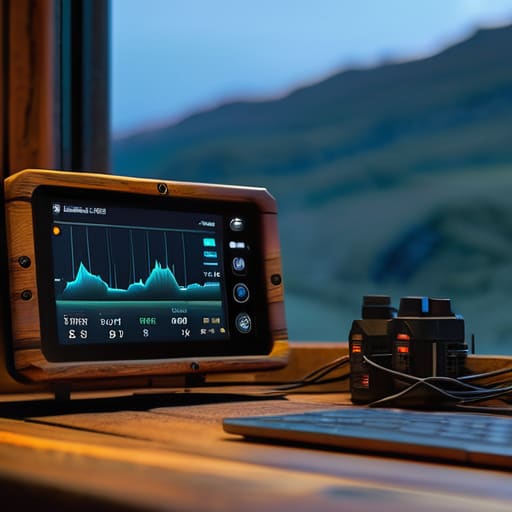
    Remote Monitoring Systems for When the Ionosphere Fails

    The biggest mistake I see people make is assuming that once the station is powered up, their job is done. You can have the best off-grid power solutions in the world, but if a gust of wind knocks your coax loose or a rogue beetle crawls into your transceiver, you won’t know until you hike three miles uphill to find a dead rig. I don’t rely on luck; I rely on remote monitoring systems that actually give me data. I use a simple ESP32-based setup to poll my voltage levels and temperature every fifteen minutes. If that voltage dips below a certain threshold, my phone pings me before the batteries hit the critical discharge zone.

    You also need to consider how you’re actually going to see that data. If you’re relying on a shaky cellular link, you might as well be shouting into a void. For my more isolated spots, I’ve moved toward satellite internet connectivity to bridge the gap. It’s an extra expense, sure, but it beats the alternative: driving out to a silent shack only to realize the ionosphere was perfectly fine, but your router decided to take a nap. Keep your telemetry simple and your alerts loud.

    Five Things the Manual Won't Tell You About Remote Operation

    • Don’t trust your cable lengths until you’ve measured the loss. I once spent three hours chasing a signal drop only to realize my coax run was 50 feet longer than I’d accounted for, and at those frequencies, that’s a massive tax on your power. If you’re running long lines to a remote antenna, use something beefier than RG-58; your signal deserves better than being eaten by mediocre copper.
    • Grounding isn’t just a safety thing; it’s a performance thing. If you’re setting up on a rocky ridge or a dry hill, your “ground” might as well not exist. I’ve learned the hard way that a dedicated ground rod or a radial system isn’t optional if you want your SWR to stay stable when the weather turns.
    • Redundancy is cheaper than a rescue mission. I never head out without a secondary way to access my gear—if my primary Wi-Fi link drops because a tree limb moved, I need a fallback, even if it’s just a low-bandwidth cellular tether. It’s better to carry an extra pound of gear than to spend the night wondering if your rig is still alive.
    • Protect your connections from more than just rain. Humidity and temperature swings will creep into your connectors and cause oxidation that’ll kill your signal strength over time. Use high-quality dielectric grease and make sure your enclosures are actually rated for the environment, not just “weather-resistant,” which is a marketing term that means nothing when a real storm hits.
    • Plan for the “human error” factor in your automation. If you’re using a remote control interface, build in a way to hard-reset the system without having to physically walk up to it. I’ve had more than one session ruined because a software hang left me staring at a frozen screen while the band was opening beautifully.

    The Reality Check: Three Things to Remember Before You Hike Out

    Don’t trust the theoretical efficiency in the manual; your setup is only as good as your ground plane and your antenna height, so measure your actual VSWR in the field before you commit to a long session.

    Redundancy isn’t just for the radio; if your power management or your remote monitoring fails, you aren’t just losing a signal, you’re losing an expensive piece of gear sitting in the dirt.

    Always leave room for luck; no amount of engineering can force a contact if the ionosphere decides to shut down, so build your kit to be reliable enough to catch those windows when they actually open.

    ## The Reality of Remote Operation

    A remote shack isn’t just a box of gear you leave in the woods; it’s a delicate balance of power, connectivity, and environmental reality. If you don’t account for how your battery voltage drops when the temperature hits freezing, or how your coax loss scales when you’re running a hundred feet of line to an antenna mounted ten meters up, you aren’t building a station—you’re just building a very expensive way to go silent.

    Wren Castellano

    Final Thoughts Before You Head Out
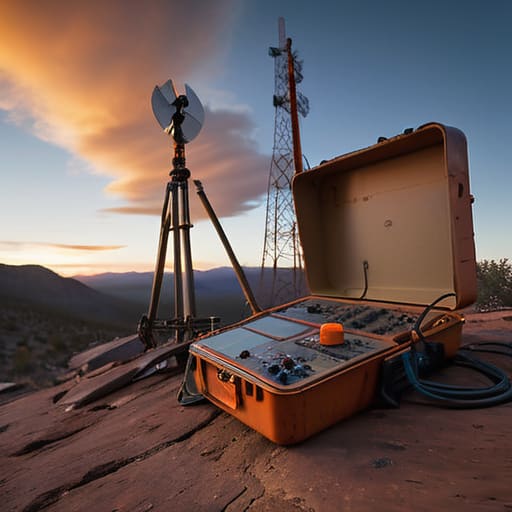
    Final Thoughts Before You Head Out.

    Setting up a remote shack isn’t about buying the most expensive gear on the catalog; it’s about managing the variables you can actually control. We’ve talked about the necessity of a stable power source that won’t quit when the temperature drops, the importance of having a monitoring system that tells you the truth about your hardware, and why your antenna height is just as critical as its resonant frequency. If you get the power and the telemetry right, you aren’t just guessing anymore—you’re engineering a reliable link between your gear and the airwaves. Don’t forget that every component you pack should be something you could troubleshoot with a multimeter and a bit of patience while sitting in the dirt.

    At the end of the day, the goal of all this planning is to get you away from the desk and closer to the magic. There is a specific kind of satisfaction that comes from hearing a weak signal pull through the noise on a station you’re running from a ridge three miles from the nearest road, knowing your setup is holding steady. It’s a bit of a struggle sometimes, and half the time the propagation will still let you down, but that’s part of the game. Get your gear measured, get your ground plane solid, and then go find a hill worth climbing. The bands are waiting.

    Frequently Asked Questions

    How much ground clearance do I actually need for my wire antennas to keep the radiation pattern from collapsing when I'm stuck on a rocky ridge?

    Look, if you’re perched on a rocky ridge, you’ve already lost your ground plane. You can’t rely on soil conductivity when you’re sitting on granite. To keep that pattern from collapsing into a useless doughnut, you need to get those wires at least 0.1 to 0.15 wavelengths off the ground. On 20 meters, that’s about 15 feet. If you drop below that, your take-off angle goes straight to the dirt and you’re just wasting battery.

    If I'm using a LiFePO4 battery setup, how do I prevent the voltage sag from tripping my radio's low-voltage protection during a heavy SSB transmission?

    The problem with LiFePO4 is that flat discharge curve; it stays high, then drops like a stone once you hit the floor. To stop that SSB dip from tripping your protection, don’t rely on the battery alone. I always run a large capacitor bank—at least a few thousand microfarads—across the power rails right at the radio’s input. It acts as a buffer for those millisecond current spikes, smoothing the sag before the radio’s logic can panic.

    Is it worth the extra weight in my pack to bring a dedicated SWR meter, or can I rely entirely on the built-in meter in my transceiver for a remote setup?

    Look, if you’re only doing quick checks on a well-tuned wire, the transceiver meter is fine. But if you’re troubleshooting a feedline issue or a shifting resonant point in the wind, don’t trust the rig. Built-in meters are often calibrated for specific loads and can be notoriously optimistic. If you have the shoulder strength, bring a dedicated SWR meter. I’d rather carry the extra few ounces than spend three hours debugging a phantom mismatch.
  • High Swr: How to Find the Cause in Order

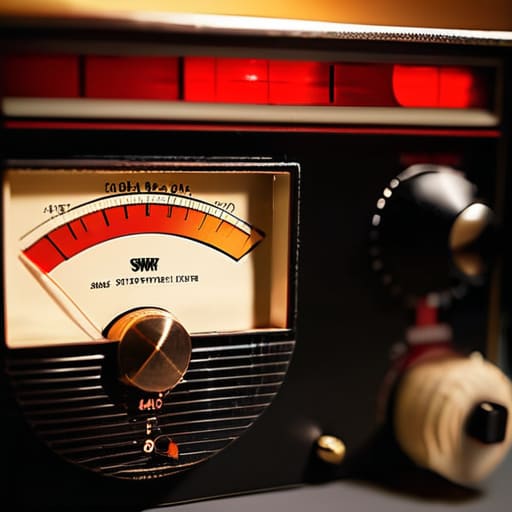
    High Swr: How to Find the Cause in Order

    I was halfway up a ridge in the Cascades last autumn, sweat soaking through my shirt and my pack feeling twice its weight, when my SWR meter suddenly spiked into the red. I had spent three hours tuning that dipole to perfection in my backyard, only to have it fall apart the moment I actually tried to use it. Most manuals will tell you to just “check your connections,” but when you’re staring at a reading that makes no sense, you need more than a generic suggestion. Learning how to troubleshoot high swr isn’t about following a checklist of obvious steps; it’s about understanding the physical reality of your antenna system and how the environment is fighting you.

    In this guide, I’m skipping the textbook fluff and getting straight to the measurements that actually matter. We aren’t just going to guess which piece of coax is failing; we are going to use real tools to isolate whether your problem is a bad solder joint, a moisture-wicking connector, or an antenna that’s simply too low to the ground to function. I’ll show you how to stop the endless cycle of swapping parts and start finding the actual source of your reflected power, so you can spend less time staring at a meter and more time making contacts.

    Table of Contents

    Guide Overview

    Total Time: 1-4 hours
    Estimated Cost: $0-50
    Difficulty: Intermediate

    Tools & Supplies

    • SWR/Wattmeter to measure standing wave ratio and power
    • Multimeter to check continuity and resistance in cables
    • Visual Inspection to check for physical damage or corrosion
    • Replacement Coaxial Cable (if existing cable is damaged)
    • Dielectric Grease (small amount for connector protection)

    Step-by-Step Instructions

    • 1. First things first: stop looking at the SWR meter on your radio and get a dedicated antenna analyzer. Most built-in meters are just glorified voltage detectors that tell you something is wrong, but they won’t tell you where it’s wrong. I want to see the impedance curve. If you can’t see the resonance point shifting as you move along the line, you’re just guessing in the dark, and guessing is how you accidentally fry a final transistor.
    • 2. Isolate the coax from the antenna. This is the simplest test, but people skip it because they think they’re being clever. Disconnect your feedline from the antenna and check the SWR at the end of the cable. If the SWR is still high, the problem is in your cable, connectors, or the radio itself. If it drops to a perfect 1.1:1, then you know the coax is fine and your headache is actually up in the wires.
    • 3. Inspect your connections with more than just your eyes. I’ve seen plenty of “perfect” looking PL-259 connectors that had a single strand of braid touching the center conductor. Use a magnifying glass if you have to. If you find a connector that looks suspicious, don’t just tighten it; cut it off and re-terminate it. A loose connection creates a high-impedance point that will drive your SWR through the roof every single time.
    • 4. Check your antenna’s physical geometry. If you’re running a wire antenna, check for any sagging or contact with nearby objects. I once spent three hours chasing an SWR spike only to realize a tree branch had grown into my dipole during a summer storm. If your antenna is near a metal roof, a fence, or even a heavy pile of wet gear, the capacitive coupling is going to shift your resonant frequency and mess up your readings.
    • 5. Measure the height. This is where most people get it wrong. An antenna that looks perfect on a bench in my workshop will behave completely differently when I’ve got it mounted 15 feet up a pole in a field. If your SWR is high, check if the antenna is too close to the ground or a structure. The proximity to “earth” or metal changes the ground plane, and without the right height, your impedance matching will never be stable.
    • 6. Look for moisture ingress. If you’ve been operating in the rain or high humidity, check your antenna elements and connector housings for water. Water inside a coax cable is a nightmare because it changes the dielectric constant, which effectively changes the velocity factor of the cable. If your SWR was fine yesterday but is spiking today after a storm, you likely have a leak that’s turning your feedline into a giant, lossy capacitor.

    Is It Real Why Vswr Meter Calibration Actually Matters

    Is It Real Why Vswr Meter Calibration Actually Matters

    I’ve seen it a dozen times: someone spends three hours climbing a mast to adjust a dipole, only to come back down frustrated because their meter is screaming 3:1, when the antenna is actually fine. The problem isn’t the wire; it’s that they’re trusting a tool that hasn’t been verified in years. VSWR meter calibration isn’t just some academic formality; if your meter’s internal reference is off, you’re chasing ghosts. I always start by checking my meter against a known load or a calibrated dummy load before I even touch the antenna tuner. If the baseline is wrong, every single reading you take thereafter is just a lie told by a piece of hardware.

    When you’re actually using an antenna analyzer, remember that the device is only as good as its connection to the system. A tiny bit of oxidation on a connector can mimic a massive radio frequency signal reflection, making you think you have a fundamental impedance mismatch when you really just have a dirty N-type connector. Don’t let a faulty reading drive you to replace a perfectly good feedline. Check your connections, verify your calibration, and then—and only then—start looking for the real culprit.

    Hunting Impedance Mismatch Causes Without the Guesswork

    Hunting Impedance Mismatch Causes Without the Guesswork

    When you move past the basic meter readings and start actually hunting for the source of the problem, you have to stop thinking about “bad antennas” and start thinking about impedance mismatch causes. Most of the time, it isn’t the wire itself that’s failing; it’s the transition points. I’ve spent more afternoons than I care to admit tracing a high SWR back to a single, tiny bead of moisture that worked its way into a PL-259 connector. If you aren’t using an antenna analyzer to look at the impedance curve across the band, you’re essentially flying blind. A simple SWR reading tells you something is wrong, but an analyzer tells you where the mismatch is happening—whether it’s a capacitive loading issue or a physical break in the line.

    Don’t skip the boring stuff, either. I’ve seen people buy a brand-new dipole only to realize their “new” coax has a crushed dielectric somewhere in the middle. Checking coaxial cable integrity is a non-negotiable step. If you can, use a Time Domain Reflectometer or even a cheap TDR function on a modern analyzer to see exactly how many meters down the line the reflection is occurring. It turns a three-hour guessing game into a five-minute fix.

    Five Things to Check Before You Start Tearing Your Shack Apart

    • Stop looking at the radio and start looking at the connection points. I’ve lost count of how many times I’ve spent an hour cursing a “bad antenna” only to find a tiny bit of oxidation on a PL-259 connector or a slightly loose center pin. Clean your contacts, tighten your connections, and if you’re using cheap crimp connectors, just stop—replace them with something that actually holds.
    • Check your coax for more than just breaks. It’s easy to spot a crushed cable, but it’s much harder to spot moisture ingress. If you’ve got a cable that’s been sitting in a damp garden or a poorly sealed weatherproofing boot, the dielectric might be compromised. I once spent a whole afternoon chasing a phantom SWR spike only to realize my coax had turned into a sponge after a heavy rain.
    • Remember that your antenna doesn’t exist in a vacuum. If you’ve moved your setup, even by a few feet, you might have changed the ground plane or brought it too close to a metal structure. I’ve seen SWR climb because someone decided to mount a dipole too close to a metal gutter or a shed roof. If you change the environment, you change the impedance.
    • Test the components individually if you can. If you have a tuner, bypass it to see if the SWR is coming from the antenna or if the tuner itself is failing to match. If you have a spare piece of coax, swap it out. Don’t try to solve the whole puzzle at once; isolate the variables so you aren’t chasing your tail.
    • Don’t ignore the height. I know, I know, I always say this, but if you’ve lowered your antenna or moved it closer to the ground, your SWR is going to shift. An antenna that was perfectly matched at 10 meters above ground is going to look completely different at 3 meters. If you change the height, you change the physics. Measure the height, then check the SWR.

    The Bottom Line Before You Hit the Shack

    Stop chasing phantom SWR readings without first verifying your meter is actually calibrated; a false reading is just a way to waste an afternoon and money on parts you don’t need.

    Always remember that height above ground is a variable, not a constant—an antenna that looks perfect on your bench might behave entirely differently once you’ve actually hoisted it up the tree.

    If your SWR is spiking, look for the physical reality of the mismatch—check the connectors, the coax integrity, and the feedpoint—rather than just blindly turning an antenna tuner knob and hoping for the best.

    ## Stop Chasing Ghosts

    Don’t let a digital readout bully you into thinking your antenna is broken when it’s really just your coax being crushed or a connector that’s more oxidation than copper. Before you tear down your entire feedline, grab a real analyzer and find out if you’re actually fighting an impedance mismatch or if you’re just reading the ghost of a bad connection.

    Wren Castellano

    Getting Back on the Air

    Troubleshooting antenna SWR: Getting Back on the Air.

    At the end of the day, troubleshooting SWR isn’t about memorizing a flowchart; it’s about moving systematically from the rig to the radiator. We’ve looked at why your meter might be lying to you, how to distinguish a genuine mismatch from a calibration error, and why you need to stop swapping components blindly and start actually measuring the impedance. Remember, if your SWR is spiking, it’s usually something physical—a bad connector, moisture in the coax, or an antenna that’s simply not seeing the ground it needs. Don’t let a high reading frustrate you into thinking your hardware is junk; most of the time, it’s just a mechanical failure waiting to be found with a bit of patience and a decent analyzer.

    Radio is a physical medium, and it doesn’t care about what the manual says if the real-world conditions say otherwise. There is a specific kind of satisfaction that comes from finding that one corroded lug or realizing your dipole is just six inches too short for the band you’re chasing. It’s easy to get caught up in the digital perfection of modern SDRs, but the fundamentals of electromagnetics haven’t changed since I was fifteen. Keep your tools sharp, keep your measurements honest, and trust the data over the guesswork. Once you get that SWR down and the signal finally clears the noise floor, you’ll remember exactly why we do this.

    Frequently Asked Questions

    I’ve checked my coax and the antenna looks fine, but my SWR still jumps every time I key the mic—could it be an issue with my ground plane or just a bad connection in the connector?

    If it jumps when you key the mic, you’re likely looking at a mechanical or electrical instability. Check your connectors first; a loose center pin or a braid that isn’t properly crimped can create a capacitive gap that shifts under load. If the connectors are solid, look at your ground. If you’re using a mobile mount or a portable setup without a decent ground plane, the antenna’s impedance is essentially floating, and your body or the chassis might be part of the circuit.

    If my SWR is low at the antenna but spikes at the rig, am I looking at a cable problem or is there something else happening in the feedline?

    If you’re seeing a low SWR at the antenna but a spike at the rig, you aren’t looking at an antenna problem; you’re looking at a transmission line problem. Something is eating your signal between point A and point B. It’s usually a bad connector, water ingress in the coax, or a sharp bend that’s crushed the dielectric. Grab your analyzer and test the line in sections. Don’t just swap the whole run until you’ve found the leak.

    Is it actually worth trying to tune a dipole if I'm mounting it only five feet off the ground, or am I just fighting a losing battle against the ground effect?

    Look, if you’re only five feet up, you aren’t just fighting the ground effect; you’re practically living in it. At that height, the ground is part of your antenna system, and it’s a messy, capacitive part. You can tune that dipole until your eyes bleed, but the impedance is going to shift the second you move a single foot or the soil moisture changes. Don’t waste your afternoon chasing a perfect SWR—just get a good tuner and accept the reality of your setup.

  • How to Prepare for Field Day Without Chaos

    How to Prepare for Field Day Without Chaos

    I spent three hours last summer wrestling with a high-end, “ruggedized” solar controller that cost more than my first car, only to realize I’d forgotten a simple, five-dollar fuse that blew the second the sun hit the panels. It’s a classic mistake, and honestly, it’s why so many people get overwhelmed when they try to learn how to prepare for a field day. We get so caught up in the shiny new gear and the marketing brochures that we forget the physics of what we’re actually doing out there. You can have a thousand dollars of SDR gear in your bag, but if you haven’t accounted for the ground plane or the actual weight of your battery bank, you’re just hauling expensive paperweights up a hill.

    I’m not here to give you a recycled checklist from a 1987 QST magazine. Instead, I’m going to walk you through the practicalities of what actually matters: power math that doesn’t fail, antenna heights that actually yield a signal, and the kind of gear that survives a real rainstorm. I’ll tell you what’s worth the weight in your pack and what is just unnecessary clutter.

    Table of Contents

    Measuring Success Outdoor Event Organization Tips That Arent Guesswork

    Measuring Success Outdoor Event Organization Tips That Arent Guesswork

    Most people approach event planning like they approach a poorly tuned dipole: they just hope the signal is strong enough to carry. If you’re looking for generic outdoor event organization tips, you can find plenty of fluff online, but if you want a successful station, you need to treat your logistics like a link budget. I don’t care how many people show up if your power distribution is a mess or your antenna deployment plan is a “we’ll figure it out when we get there” situation. I start by mapping out my deployment zones and power requirements on paper—not in my head—before a single tent stake hits the dirt.

    When it comes to the human element, I treat field day volunteer coordination with the same precision I use for impedance matching. You can’t just tell someone to “help out”; you need to assign specific roles, like log keeping or battery management, so they aren’t standing around wondering why the rig is dead. If you’re running something more structured, like involving local clubs through student participation activities, make sure you have a clear, measurable goal for the day. Success isn’t just “having fun”—it’s knowing exactly how many contacts you made and why the signal-to-noise ratio was better at 2:00 PM than at noon.

    Field Day Safety Precautions Because Luck Isnt a Reliable Metric

    Field Day Safety Precautions Because Luck Isnt a Reliable Metric.

    Look, I’ve seen enough people trip over a guyline in the dark to know that your gear list is useless if you don’t have a plan for when things go sideways. We spend all this time obsessing over SWR and battery capacity, but we often treat field day safety precautions like an afterthought. If you’re operating in a remote spot, your first priority isn’t the DX contact; it’s making sure everyone in your group stays hydrated and accounted for. I always carry a dedicated first aid kit that’s separate from my tool bag—nothing kills a weekend faster than a twisted ankle or a nasty sunburn that nobody prepared for.

    If you’re bringing in younger operators or trying some student participation activities to get the next generation interested, you need to be even more disciplined. I don’t care how much fun the setup is; if you haven’t established a clear perimeter around your high-voltage lines and antenna masts, you’re asking for trouble. Safety isn’t a suggestion; it’s the baseline. I’ve learned the hard way that a well-organized site is a safe site, and that starts with checking your surroundings before you even unroll the first piece of coax.

    The Real Gear Check: Five Things That Actually Matter When You’re Off the Grid

    • Stop trusting your “gut” on battery life. I’ve seen too many operators pack a single deep-cycle battery and then spend four hours staring at a dead rig because they forgot that an SDR and a high-power amplifier pull way more current than a simple handheld. Calculate your total amp-hour draw for the entire duration, add a 30% buffer for efficiency losses, and bring enough extra capacity to actually make contacts, not just test your equipment.
    • Your antenna design is only half the battle; the other half is how high you can get it. I don’t care if you have a perfectly tuned dipole; if you’ve got it strung at six feet through some dense oak branches, your take-off angle is going to be garbage. If you’re planning a field setup, bring extra lightweight telescopic poles or even a sturdy piece of timber. Getting that wire even five feet higher can be the difference between a local signal and a DX contact.
    • Test your coax in the garage before you put it in the truck. There is nothing more soul-crushing than driving two hours into the hills only to realize your jumper cable has a hairline fracture in the dielectric. I’ve spent too many afternoons troubleshooting a “faulty” radio that was actually just a crushed piece of RG-58. Check your SWR, check your connections, and if you can, run a sweep to make sure your cables aren’t lying to you.
    • Don’t be a hero with your power source—bring a way to manage your voltage. If you’re running off a generator, make sure it’s filtered or use a decent power supply; those cheap, unshielded units will dump enough RF noise into your receiver to make a signal report impossible. If you’re going solar, remember that a cloudy afternoon isn’t a “minor inconvenience,” it’s a total loss of power if you haven’t sized your controller correctly.
    • Pack a “sanity kit” of small, high-failure items. This isn’t about first aid; it’s about the stuff that stops the operating. I always carry extra crimps, a decent set of wire strippers (not the cheap ones that chew up the copper), plenty of electrical tape, and a dedicated roll of high-quality solder. If you spend your whole field day trying to fix a broken connector with duct tape and a prayer, you aren’t operating—you’re just struggling.

    The Real-World Checklist: What Actually Matters When You're Out There

    Stop relying on “rule of thumb” antenna heights; if you’re running a dipole at 5 meters off the ground in a valley, your SWR readings are going to lie to you, so bring a real meter and expect to tune on-site.

    Don’t pack your gear based on what the manual says you need, pack it based on your power calculations and the actual weight you can carry without making the hike a misery.

    Accept that the ionosphere is a fickle beast; if you haven’t prepared a backup plan for when the bands go dead, you aren’t participating in a field day, you’re just camping with expensive radio equipment.

    ## The Math Doesn't Care About Your Enthusiasm

    Stop treating your Field Day prep like a grocery list and start treating it like a link budget; if you haven’t calculated your actual power draw against your battery capacity at twenty degrees Celsius, you aren’t preparing, you’re just hoping—and hope is a terrible substitute for a well-measured system.

    Wren Castellano

    Final Checks Before You Hit the Trail

    Final Checks Before You Hit the Trail.

    At the end of the day, a successful field day isn’t about having the most expensive transceiver in the tent; it’s about the math you did before you left the driveway. If you’ve double-checked your power budgets, verified your ground clearance for those wire antennas, and actually tested your deployment plan in the backyard, you’ve already beaten half the operators out there. Don’t let the excitement of a new setup override the reality of your logistics. Remember that a well-organized station with a simple, well-tuned dipole at ten meters is always going to outperform a high-end rig sitting in a pile of unorganized cables and half-empty battery packs. Preparation is the difference between making contacts and just managing chaos.

    There is a specific kind of magic that happens when the sun goes down, the gear is humming, and you realize you built the whole thing yourself from scratch. Even when the ionosphere decides to be stubborn and the bands go dead, there is a profound satisfaction in knowing your setup is solid and your safety protocols are tight. Radio is a physical, demanding hobby, and that’s exactly why it matters. So, pack your gear, check your measurements one last time, and get out there. Whether you’re pulling DX or just chatting with the local repeater, just make sure you’re doing it with a system you actually understand.
    Frequently Asked Questions

    I’ve got my antenna design sorted, but how much ground clearance do I actually need to see a real difference in my signal strength when I'm setting up on a ridge?

    Look, if you’re sitting on a ridge, you’ve already won half the battle, but don’t get complacent. For a typical dipole, if you’re under 0.15 wavelengths above the ground, you’re going to see your pattern start to tilt and your impedance swing wildly. I’ve measured enough setups to know that once you hit about 0.25 wavelengths, the gain stabilizes significantly. If you can’t get that clearance, bring a coax extension and get that feedpoint up.

    Is it worth hauling a heavy battery bank for the extra capacity, or should I just focus on a more efficient power management setup for the rig?

    Don’t just grab the heaviest LiFePO4 pack you own and call it a day. I’ve spent too many hikes lugging extra weight only to realize my inefficient switching regulator was eating more juice than the actual transmission. Focus on the efficiency first—tighten your connections, check your ground, and make sure your voltage regulation isn’t wasting half your capacity as heat. Once your rig is running lean, then decide if that extra capacity is actually worth the strain on your back.

    When the weather turns and the ground gets saturated, how much does that actually change my SWR readings and my expected take-off angle?

    It’s not just your imagination; the ground is a part of your antenna system. When the soil saturates, its conductivity jumps, which usually lowers your ground loss and can actually nudge your SWR down if you’re running a vertical. However, that extra moisture also pulls your resonant frequency slightly lower. More importantly, your take-off angle will flatten out. You’ll get a slightly better pattern for DX, but don’t expect miracles if your antenna is mounted less than 10 feet off the deck.

  • How to Record Contacts and Share Them Properly

    How to Record Contacts and Share Them Properly

    I spent three hours last Tuesday wrestling with a “professional” USB interface that cost more than my first car, only to realize the software was clipping my signal so badly it sounded like a bag of gravel in a blender. It’s infuriating how much the industry pushes the idea that you need a thousand-dollar signal chain just to figure out how to record and share audio without it sounding like a compressed mess. Most of the gear marketed to beginners is just expensive plastic wrapped in clever branding, designed to make you think complexity equals quality. In reality, if you don’t understand your gain staging and bit depth, you’re just spending money to record digital noise.

    I’m not here to sell you on a specific brand or a subscription service you’ll forget to cancel next month. My goal is to strip away the marketing fluff and give you the actual, measurable steps for how to record and share audio that won’t leave your listeners wincing. I’ll show you where to put your mic, which settings actually matter, and how to move your files without losing the integrity of the waveform. No hype, just the physics of sound and the practical ways to make it work.

    Table of Contents

    Microphone Setup for Clear Recording Without the Fluff

    Microphone Setup for Clear Recording Without the Fluff

    Look, you don’t need a thousand-dollar condenser mic to get decent results, but you do need to understand physics. Most people treat their microphone like a magic wand, but it’s really just a transducer sensitive to everything—including the hum of your refrigerator and the click of your mechanical keyboard. For a solid microphone setup for clear recording, I always suggest starting with a dynamic mic if you’re in a room that hasn’t been treated with acoustic foam. They’re less sensitive to that low-level ambient noise that ruins a clean take.

    Positioning is where the real work happens. Don’t just point it at your face and hope for the best; keep it about six inches away and slightly off-axis to avoid those harsh plosives that sound like a small explosion in the listener’s ears. If you’re trying to achieve high fidelity sound capture on a budget, pay attention to your gain staging. Set your levels so you’re hitting around -12dB to -6dB on your meters. This gives you enough headroom so you aren’t clipping the signal, which is a mistake you can’t just “fix it in post.”

    Digital Audio Workstation Basics That Actually Move the Needle

    Digital Audio Workstation Basics That Actually Move the Needle

    Once you’ve got your microphone positioned correctly, you need a place for that signal to land. This is where people usually get lost in a sea of menus and plugins. When we talk about digital audio workstation basics, don’t get seduced by the massive, thousand-dollar suites that look like a cockpit. Unless you’re scoring a film, you don’t need a hundred tracks of virtual reverb. You need something stable that handles high fidelity sound capture without crashing when you try to export. I’ve spent enough time losing an hour of work to a software hang to tell you: stability is more important than features.

    If you’re just starting out, look for something that stays out of your way. Audacity is the old reliable—it’s not pretty, but it works—while Reaper offers a lot more control if you actually want to dive into the waveforms. The goal isn’t to become a professional producer; it’s to ensure that what you captured actually sounds like what you heard in the room. Pick a tool that lets you see the signal clearly, and for heaven’s sake, make sure you know where your project files are actually being saved before you hit record.

    Five Real-World Rules for Audio That Doesn't Sound Like Garbage

    • Stop recording in a room that echoes like a cathedral. If you don’t have acoustic foam, don’t bother buying it; just throw a heavy moving blanket over your head and the mic. It’s not glamorous, but it beats trying to EQ out a massive reverb tail later.
    • Watch your gain staging like a hawk. I’ve seen too many people crank the preamp until the signal is hitting the red, thinking more volume equals more quality. It doesn’t. It just gives you digital clipping, and once that waveform hits the ceiling, there is no coming back from it.
    • Use a dedicated interface instead of your computer’s built-in sound card. Your laptop’s internal circuitry is a noisy mess of electromagnetic interference from the CPU and the screen. Even a mid-range USB interface will give you a much lower noise floor, which is the difference between a clean signal and a constant hiss.
    • Always record a “room tone” sample for thirty seconds before you start talking. If you need to patch a hole in the audio later, you’ll need that silent baseline to make the edit invisible. It’s a small step that saves you from a very messy production.
    • When you’re ready to share, check your export settings against the destination. If you’re uploading to a platform that compresses everything into a low-bitrate MP3, don’t waste your time recording in 24-bit/192kHz studio quality. Match your output to the reality of where the audio is actually going to live.

    The Bottom Line: Don't Waste Your Time on the Noise

    Stop chasing expensive software features you’ll never touch; focus on capturing high-bit-depth audio from the start so you aren’t trying to fix a garbage signal later.

    Your microphone placement is your first and best filter—if you can’t control the room’s acoustics or the distance to the capsule, no amount of digital processing is going to save you.

    Always verify your output on a different set of speakers or headphones than the ones you used to record, or you’ll end up sharing a file that sounds great to you but is unlistenable to everyone else.

    The Signal vs. The Noise

    You can spend five thousand dollars on a preamp and a studio-grade condenser, but if you haven’t addressed the floor noise in your room or the bit depth in your software, you’re just digitizing garbage with higher fidelity. Recording clean audio isn’t about the gear you buy; it’s about controlling the environment so that when you finally hit ‘send,’ the listener actually hears the signal and not just the struggle to find it.

    Wren Castellano

    Getting It Out of the Lab and Into the World

    Getting It Out of the Lab and Into the World

    At the end of the day, recording audio isn’t about owning the most expensive condenser microphone or having a workstation that looks like a NASA control room. It’s about the signal chain—making sure your input is clean, your bit depth is sufficient to capture the nuances, and your software isn’t just adding digital artifacts to a perfectly good signal. I’ve seen people spend thousands on gear only to realize they were recording into a room with terrible acoustics or using a codec that crushed their dynamic range. Remember: measure your levels, check your environment, and don’t settle for “good enough” when you can easily achieve actual clarity with a bit of discipline and the right settings.

    Once you’ve got that clean file, the hard part is actually getting it to the people who need to hear it. Whether you are sharing a field recording of a rare propagation event or a technical lecture, treat the distribution with the same respect you gave the capture. Don’t just dump a massive, uncompressed file into a forum and hope for the best; use formats that preserve the integrity of what you worked so hard to build. Radio and audio are about connection, and that connection only works if the signal survives the journey. Now, stop tweaking the EQ, hit the export button, and share what you’ve made. The world is waiting to listen, even if the ionosphere is being temperamental tonight.

    Frequently Asked Questions

    I've got a decent mic, but how do I know if my room is actually helping or just creating a muddy mess of reflections?

    If you aren’t sure, stop guessing and run a quick impulse response test. Grab a loud, sharp clap or even a starter pistol (if you’re feeling dramatic) and record it in the room. Listen to the decay. If that “clap” sounds like a wet sponge hitting a floor, your reflections are muddying your signal. You don’t need a professional studio; just get some heavy blankets or even an open closet behind you to kill those early reflections.

    Is it worth spending the extra money on a high-end interface, or am I just paying for a brand name when a basic one does the job?

    Look, I’ve measured the noise floors on both. If you’re just recording casual voice logs or local nets, a basic interface is fine; you aren’t going to notice the difference in a cluttered signal. But if you’re trying to capture clean, high-fidelity audio for something permanent, that extra money buys you better preamps and lower jitter. Don’t pay for the logo, though. Pay for the spec sheet—specifically the dynamic range and the actual THD+N.

    Once I've got a clean file, what's the best way to share it without losing all the quality to compression?

    Stop using WhatsApp or Facebook Messenger to send your files; those apps treat your audio like a nuisance and crush the bit rate until it sounds like a tin can in a storm. If you want to keep the integrity of what you recorded, upload the raw WAV or high-bitrate FLAC to a cloud drive like Dropbox or Google Drive and share the link. It’s a few extra clicks, but at least you’re sharing the actual signal, not just the ghost of it.

  • How to Build a Dmr Code Plug From Nothing

    How to Build a Dmr Code Plug From Nothing

    I was standing on a ridge in the Blue Ridge Mountains last October, shivering in a light wind, trying to reach a repeater that I knew was active. I had the radio strapped to my chest, the battery was full, and my signal strength was showing a solid green bar, but I was getting nothing but digital silence. It turns out I hadn’t actually learned how to configure a code plug correctly for that specific digital protocol; I had just blindly copied a template from a forum post written in 2014. Most people think a code plug is just a glorified contact list, but if your color codes, slot timings, or repeater offsets are even slightly off, you aren’t just missing calls—you’re essentially shouting into a void.

    In this guide, I’m going to strip away the manufacturer’s jargon and show you how to actually get it right. We aren’t going to rely on “trial and error” or praying the ionosphere fixes your mistakes. I’ll walk you through the precise logic of setting up your channels so that when you finally hit that PTT, the handshake actually happens. You’ll learn exactly what to look for in your software to ensure your digital settings match the real-world repeater requirements, without wasting an entire afternoon staring at a spreadsheet.

    Table of Contents

    Guide Overview

    Total Time: 30-60 minutes
    Estimated Cost: $0 (assuming hardware is owned)
    Difficulty: Intermediate

    Tools & Supplies

    • Programming Cable (USB to radio interface cable)
    • PC/Laptop (with compatible OS and USB ports)
    • Programming Software (manufacturer-specific software like CPS or CHIRP)
    • Digital Radio (the device being configured)
    • Configuration File (the .dat, .csv, or .img file containing channel data)

    Step-by-Step Instructions

    • 1. First, stop trying to use the tiny, frustrating buttons on the radio itself. Unless you’re performing a quick frequency change in the field, you’re going to end up with a mess of typos and missed channels. Grab the manufacturer’s programming cable—and if you’re using one of those cheap, unbranded clones from a marketplace, make sure your drivers are actually installed before you plug it in, or you’ll just be staring at a “device not recognized” error for an hour.
    • 2. Once you’ve got the software open, don’t just start typing in numbers. Look at your frequency list first. I always start by importing a basic CSV file if I have one, or at least setting up my primary repeater offsets before I touch a single channel name. If you get the offset wrong—say, you’re trying to hit a 600kHz offset on a band that expects 5MHz—you’re going to be transmitting into nothingness and wondering why no one is answering you.
    • 3. Now, let’s talk about the actual channel entries. This is where most people get lazy. For every channel, you need to define the frequency, the tone, and the name. I recommend keeping names short; if you try to cram “North County Emergency Repeater” into a display that only supports six characters, the software will either truncate it or, worse, throw a fit. Keep it simple: “N.Co.E” is much easier to read when you’re moving through a menu quickly.
    • 4. This is the step that separates the pros from the hobbyists: setting your CTCSS or DCS tones. If the local repeater requires a sub-audible tone to open the squelch, and you haven’t entered it in the code plug, you’ll hear people talking but you’ll never be able to break in. I’ve spent more than one afternoon sitting on a ridge feeling like a total amateur because I forgot to check the tone requirement for a local repeater.
    • 5. Check your power settings per channel. Just because your radio is capable of 5 watts doesn’t mean you should use it every time. If you’re operating near a repeater site, dialing it down to 1 or 2 watts will save your battery and, more importantly, it won’t desensitize your receiver when you try to listen. It’s about efficient energy management, not just screaming at the top of your lungs.
    • 6. Before you hit that “Write to Radio” button, do a quick sanity check on your scan list. There is nothing more annoying than a radio that scans through forty empty channels before it finds the one you actually want to hear. Group your most frequent channels together and set your scan search pattern to prioritize them. It makes the radio feel responsive rather than sluggish.
    • 7. Finally, hit the write command and wait. Do not—and I mean do not—tweak the cable or bump the laptop while the progress bar is moving. If you interrupt the data stream mid-transfer, you risk corrupting the firmware or at least leaving you with a very expensive, very silent brick. Once it’s done, pull the cable, power the radio off, pop the battery back in, and test the first three channels manually to ensure the offsets are actually working.

    Mastering Dmr Color Code and Slot Configuration Without the Fluff

    Mastering Dmr Color Code and Slot Configuration Without the Fluff

    Look, once you’ve got the basic steps down, you’re going to hit the part where most people just start clicking buttons and hoping for the best: the DMR color code and slot configuration. Here’s the reality: if you get the color code wrong, you aren’t just “missing” a transmission; you’re essentially shouting into a void where no one can hear you. I’ve spent too many afternoons on a ridge, battery levels dropping, only to realize I’d entered a color code of 1 instead of 3 because the local repeater owner decided to be different. Check your local repeater directory twice. And don’t ignore the slots. If you’re trying to jump onto a busy repeater but you’re hard-coded to Slot 2 when the local traffic is all on Slot 1, you might as well be using a walkie-talkie from a toy store.

    When you’re deep in the digital mobile radio programming software, don’t treat the contact list like a junk drawer. Efficient DMR contact list management is what separates the operators from the people just making noise. Group your contacts by local repeaters first, then by distant simplex groups. It keeps your workflow clean and prevents that frantic scrolling when you actually have something worth saying.

    Precision Dmr Contact List Management for Reliable Field Use

    Precision DMR Contact List Management for Reliable Field Use

    Look, once you’ve wrestled with the digital repeater settings and the technical side of the handshake, you’re left with the part that actually makes the radio usable in the field: the contact list. I’ve seen too many folks spend hours on a complex CPS software tutorial only to end up with a directory that looks like a phone book from 1994. If you’re out on a hill or in a crowded park, you don’t have the luxury of scrolling through three hundred names just to find your local repeater or your buddy’s callsign. My rule is simple: curate for speed, not for completeness.

    Effective DMR contact list management is about hierarchy. I group my contacts by “Local/Home,” “Travel/Regional,” and “Emergency/Priority.” When I’m operating portable, I want my most frequent repeaters at the very top of the list so I can hit them in three seconds flat. If you’re using generic digital mobile radio programming software, don’t just dump every name you find into the memory. If a contact isn’t something you’ll actually talk to while standing in the wind, leave it out. A clean, lean list is the difference between a successful contact and a frustrating afternoon of scrolling.

    Five Things the Manual Won't Tell You About a Clean Code Plug

    • Stop overstuffing your contact list. I’ve seen people try to upload five hundred names into a handheld, and they wonder why the radio hangs for three seconds every time they hit the PTT. Keep your active field list lean; if you aren’t going to call them this weekend, they don’t need to be in the primary memory.
    • Double-check your scan lists before you head out. There is nothing more frustrating than hiking three miles up a ridge only to realize your scan list is configured to skip the very repeater you need. I always run a quick test in the driveway to make sure the radio actually jumps to the signals I’ve told it to look for.
    • Don’t trust the default group call settings. Manufacturers love to give you a “factory” setup that works for exactly zero people in your local area. Manually verify your Talk Groups against your local repeater’s map; if you’re on the wrong TG, you’re just shouting into a void that nobody is listening to.
    • Group your channels by logic, not by how they were entered. I organize my code plug by frequency range or by local repeater clusters. When you’re out in the field and the weather is turning, you don’t want to be scrolling through a disorganized mess of fifty channels just to find your home base.
    • Verify your power levels per channel. Not every repeater needs you to blast at max wattage, especially if you’re sitting right next to the tower. I’ve measured enough local sites to know that dropping to mid-power on certain channels saves your battery life and prevents you from overdriving the repeater’s input, which is just bad etiquette.

    The Bottom Line: Don't Let Your Settings Get in the Way of the Signal

    Stop treating your code plug like a “set it and forget it” menu; if you haven’t verified your talkgroups against the local repeater’s actual configuration, you’re just transmitting into a void.

    Keep your contact list lean and your slot assignments precise—cluttering your radio with every frequency you’ve ever heard makes it harder to find what you actually need when you’re out in the field.

    Remember that a perfectly configured radio is useless if you’re chasing a dead repeater; always double-check your color codes and slots against the specific site you’re targeting, because “close enough” doesn’t work in digital mode.

    The Reality of the Digital Code Plug

    A code plug isn’t just a list of frequencies you copy-paste from a repeater directory; it’s the difference between actually working a contact and staring at a silent screen while your battery drains. If you don’t take the time to map your slots and color codes correctly, you aren’t operating a radio—you’re just carrying a very expensive, very heavy brick.

    Wren Castellano

    Don't Let the Software Win

    Don't Let the Software Win: Lean Configuration.

    At the end of the day, a code plug isn’t just a list of frequencies; it’s the roadmap for how you actually interact with the digital landscape. We’ve covered the essentials—from getting your contact list pruned so you aren’t scrolling through three hundred dead IDs in the middle of a field, to the precision required for color codes and time slots. If you get the slots wrong, you’re just shouting into a void, and if your contact list is a mess, you’re wasting precious battery life and time. Remember, the goal isn’t to have the most complex file possible; it’s to have a configuration that is lean, logical, and reliable when you’re actually on the move.

    I know that staring at a spreadsheet on a laptop screen feels a world away from the magic of hearing a signal pull through the noise, but this is where the real work happens. There is a specific kind of satisfaction that comes from knowing your rig is tuned exactly how it should be, rather than just hoping the factory defaults do the job. Don’t get discouraged if you have to rebuild your file three times before it sticks—that’s just part of the process. Once you stop fighting the software and start mastering the logic behind it, the radio stops being a complicated gadget and starts being the tool it was meant to be. Now, get out there and find some signals.

    Frequently Asked Questions

    If I update my code plug to add a new repeater, do I risk wiping out my existing contact list or saved scan lists?

    The short answer is: yes, you absolutely risk it. Most CPS software is a blunt instrument; when you hit “Write to Radio,” it doesn’t just patch in the new repeater, it overwrites the entire memory map. If your contact list lives in the radio’s internal memory and not in your computer’s database, it’s gone. Always pull a full read from the radio before you start tinkering. Treat your current configuration like a backup—don’t assume the software is being polite.

    How much does the specific brand of programming software actually matter, or am I just paying for a prettier interface?

    Look, you aren’t paying for a prettier interface; you’re paying for the stability of the data stream. The “free” or generic software often handles memory addresses like a toddler handles eggs—it’s messy and prone to corruption. I’ve seen people spend hours on a configuration only to have the radio brick because the software sent a malformed hex string. Use the manufacturer’s tool if you want reliability, or an established third-party like CPS if you want sanity.

    I’ve got the digital settings right, but why am I still getting nothing but digital noise when I try to hit the local repeater?

    If your digital settings are perfect but you’re just hearing digital “hash,” you’re likely looking at a synchronization failure. Check your Color Code first—if you’re off by even one digit, the repeater won’t acknowledge you. If that’s solid, check your slot. Most people assume they’re on Slot 2, but some local repeaters are configured for Slot 1 only. It’s frustrating, but it’s usually a mismatch in the handshake, not a broken radio.

  • How to Set Up Winlink for Email Over Radio

    How to Set Up Winlink for Email Over Radio

    I remember sitting on a ridge in the Ozarks three years ago, staring at a laptop screen that refused to acknowledge my radio, feeling like I was fighting a losing battle against a piece of software that didn’t want to cooperate. Most people will tell you that learning how to set up Winlink is just a matter of following a checklist of software installs and driver updates, but they’re missing the point. In reality, if your setup isn’t actually talking to the gateway, it doesn’t matter how many drivers you’ve clicked through; you’re just staring at a very expensive paperweight. Most “software errors” I’ve encountered are actually just a failure to understand how your hardware interacts with the digital layer, usually because someone ignored the signal quality or the specific way their rig handles the PACTOR modem.

    In this guide, I’m going to cut through the fluff and show you the practical way to get your station operational. I won’t just give you a list of clicks; I’ll tell you where the common failure points are, from choosing the right interface to ensuring your signal is actually clean enough for a successful handshake. We’re going to look at the real-world configuration steps so you can stop guessing and start sending messages.

    Table of Contents

    Guide Overview

    Total Time: 1-3 hours
    Estimated Cost: $0-50
    Difficulty: Intermediate

    Tools & Supplies

    • Computer or Tablet with internet access
    • Winlink Express software (free installation)
    • Email Client (Outlook, Thunderbird, or webmail)
    • Radio Interface (TNC, Digirig, or Soundcard)
    • Amateur Radio Transceiver (1 unit)
    • HF, VHF, or UHF Antenna (1 unit)
    • USB-to-Serial or USB-to-Audio Cable (1 unit)

    Step-by-Step Instructions

    • 1. First things first, stop looking at the shiny software interface and look at your hardware chain. You can’t send an email if your computer can’t talk to your radio. If you’re using a standard CAT control setup, make sure your USB interface is actually recognized by your OS before you even touch the Winlink client. I’ve spent too many evenings troubleshooting “software bugs” that were actually just a faulty USB cable or a driver that decided to retire overnight.
    • 2. Once the hardware is talking, you need to get your soundcard settings dialed in. Winlink relies on your computer’s audio to modulate the signal, which means your levels need to be just right. Don’t just crank the volume to 100% and hope for the best; I’ve measured the distortion on several cheap interfaces, and if you overmodulate, you’re just sending garbage into the ether. Aim for a clean signal on your waterfall display, and if it looks like a jagged mess, back off the gain.
    • 3. Now, let’s talk about the actual Winlink client setup. You’ll need to configure your “Radio” settings to match the interface you just verified. If you are running VARA HF—which, in my opinion, is the only way to fly if you actually want decent throughput—make sure the settings in the Winlink client match the settings in the VARA application exactly. If there is a mismatch in baud rate or frequency settings between the two, you might as well be shouting into a bucket.
    • 4. Next, you have to pick your gateway. This is where people usually get stuck. You aren’t just connecting to “the internet”; you are connecting to a specific RMS (Radio Mail Server) via a specific mode. If you’re on HF, you’re likely looking at VARA HF or PACTOR. Check your local gateway list and look for a station that is actually operational and reachable given your current propagation. I don’t care if a gateway has a high uptime rating; if the ionosphere is currently a brick wall for your frequency, that gateway is useless to you.
    • 5. Before you attempt to send a real message, run a test. I always start with a simple “test” or “check” message to a known gateway. This isn’t just to see if it works, but to see how much packet loss you’re dealing with. If your connection keeps dropping, don’t blame the software. Check your antenna height and your local noise floor. I’ve found that even a decent Winlink setup will fail miserably if your antenna is only two meters off the ground in a noisy urban environment.
    • 6. Finally, once you see those “Message Sent” confirmations, set up your templates. If you’re doing this for emergency preparedness, you don’t want to be typing out a full status report while your hands are shaking or the power is failing. Pre-load your standard forms so that all you have to do is fill in the variables. It makes the whole process predictable and repeatable, which is exactly what you want when the grid goes down and you’re relying on a battery and a wire.
    Mastering Winlink Client Configuration and Vara Modem Setup.

    Once you’ve got the software installed, don’t just assume the defaults are going to save you. When you’re diving into your VARA modem setup, the most common mistake I see is people ignoring the audio levels. If your computer is pumping out a signal that’s clipping your transceiver’s input, you aren’t sending a clean data stream; you’re sending digital noise. I’ve sat on many a ridge with a portable rig only to realize my “successful” attempts were actually just me screaming into the void because my gain was set too high. Watch your levels on the waterfall; you want a clean, consistent signal, not a jagged mess that looks like a heart attack on the screen.

    When it comes to your Winlink client configuration, specifically regarding your RMS gateway connection, remember that timing is everything. If you’re trying to hit a gateway via HF, you need to be realistic about the propagation. I’ve had sessions where I thought my setup was broken, only to realize the gateway was just obscured by a local fade or a bad solar cycle. Don’t get frustrated if the first attempt fails—check your signal-to-noise ratio and ensure your modem is actually seeing the carrier before you start blaming the software.

    Securing Your Rms Gateway Connection for Reliable Radio Email

    Securing Your Rms Gateway Connection for Reliable Radio Email

    Once you’ve got your VARA modem talking to your rig, the next hurdle is making sure your RMS gateway connection actually holds up when the weather turns or the band gets crowded. I’ve spent too many afternoons watching a progress bar stall at 98% because the gateway was struggling with a noisy local environment. To avoid this, don’t just assume a “connected” status means you’re ready to go. I always check my signal-to-noise ratio before I start sending messages via radio email; if your local noise floor is high, you’re just wasting power and congesting the gateway for everyone else.

    Another thing the manuals rarely mention is the importance of your station’s local timing and stability. If your computer’s clock is drifting, your amateur radio email configuration might look fine on paper, but you’ll see packet collisions that drive you mad. I’ve found that keeping a stable, low-latency connection to your gateway is less about the software and more about managing your local RF environment. If you’re running a portable setup, make sure your antenna is at least 5 meters off the ground—I’ve measured the difference in successful handshake rates, and it’s not even close.

    • Stop obsessing over the software version and look at your signal. I’ve seen people spend three days troubleshooting a “connection error” only to realize their antenna was sitting 2 feet off the ground in a valley. If your RMS gateway isn’t responding, check your signal-to-noise ratio first; if you can’t hear the carrier, no amount of clicking “reconnect” is going to fix it.
    • Treat your VARA modem settings like a precision instrument, not a “set it and forget it” tool. If you’re running on a tight power budget or a noisy HF band, dial back the data rate. I’d much rather have a slow, steady connection that actually completes a file transfer than a high-speed burst that crashes halfway through because the ionosphere decided to take a nap.
    • Don’t trust your computer’s “auto-detect” for your radio interface. I’ve spent more time than I care to admit chasing phantom COM port errors because Windows decided to reassign a driver mid-session. Manually assign your ports in the Winlink client and verify them with a simple terminal test before you start trying to send a heavy attachment.
    • Your ground plane matters as much as your software configuration. If you’re running a portable setup, don’t just throw your wire antenna over a tree limb and expect a clean digital link. A poor ground or a low antenna height will introduce enough phase noise to make your VARA modem struggle, even if your settings are technically perfect.
    • Test your setup during the “boring” times. Don’t wait for a real emergency or a specific weather event to see if your Winlink rig is ready. I always run a test transmission to a gateway when the band conditions are mediocre; if you can get a message through when the ionosphere is being difficult, you’ll know you’re actually ready when things get real.

    The Bottom Line: Don't Set It and Forget It

    Software is only half the battle; if your VARA settings are tuned for a perfect signal but you’re running a wire antenna 3 meters off the ground in a cluttered backyard, you’re going to spend more time troubleshooting packet loss than actually sending mail.

    Treat your RMS gateway connection like a real-world link, not a theoretical math problem—always verify your signal-to-noise ratio before you assume a “connection error” is a software glitch.

    Real-world Winlink reliability comes from matching your modem’s aggressiveness to your actual RF environment, because a configuration that works on a high-gain tower will fall apart the moment you take your gear into the field.

    You can spend all afternoon tweaking your VARA settings and optimizing your RMS gateway, but if your antenna is sitting three feet off the ground in a damp valley, you aren’t running Winlink—you’re just playing solitaire with a computer. Digital modes are efficient, but they aren’t magic; they still need a clean path to the sky.

    Wren Castellano

    Beyond the Configuration Screen

    Beyond the Configuration Screen: physical setup.

    At the end of the day, setting up Winlink isn’t just about clicking through a series of menus or getting your VARA modem to handshake with a gateway. It’s about the discipline of the setup. You’ve got your RMS gateway secured, your software drivers are behaving, and your modem settings are dialed in, but don’t think you’re finished just because the status bar says “connected.” I’ve spent too many nights troubleshooting “software glitches” only to realize my antenna was barely three meters off the ground and couldn’t actually push the signal through the local noise. Make sure your physical layer—your antenna height and your power source—is as solid as your digital configuration, or you’ll just be sending error logs into the void.

    Once you get past the initial frustration of the configuration, you’ll realize you’ve built something much more significant than a simple email client. You’ve built a lifeline. There is a profound, quiet satisfaction in knowing that when the fiber optic cables go dark and the cellular towers are silent, you can still send a message across the band. It’s not always pretty, and sometimes the ionosphere is going to be a complete mess, but that’s part of the game. Get out there, test your links, and master the tools so that when the time actually comes to need them, you aren’t fumbling with a manual in the dark.

    Frequently Asked Questions

    I’ve got the software running, but my signal is barely registering on the RMS gateway—could my antenna height be the bottleneck here, or is it just a bad time of day for HF?

    It’s likely both, but let’s look at the physics first. If your antenna is sitting less than 10 meters off the ground, you’re probably losing significant signal to ground absorption and a high angle of radiation. I’ve seen perfectly tuned setups fail simply because the antenna was too low to clear the local noise floor. Check your height first. If that’s sorted, then yeah, you’re probably just fighting a bad propagation window.

    Do I really need a dedicated sound card for VARA, or can I get away with using my radio's built-in USB audio interface without losing half my packets to noise?

    You don’t need a dedicated sound card, but you do need to stop blaming the software when your signal-to-noise ratio is trash. I’ve run VARA through a standard USB interface on a 100W rig and it worked fine, provided your computer isn’t dumping EMI directly into the audio path. If you’re losing packets, it’s usually because your interface is picking up high-frequency switching noise from your laptop. Test your noise floor first.

    If I'm setting this up for a portable operation, how much extra weight am I actually looking at if I want to include a dedicated power supply and a reliable laptop rig?

    If you’re heading into the field, don’t underestimate the “weight creep.” A decent ruggedized laptop and a 10Ah LiFePO4 battery will add about 4 to 5 kg to your pack immediately. If you insist on a dedicated AC power supply, you’re adding another 2 kg of brick and cables. Personally, I skip the AC supply and stick to DC-DC converters and lightweight lithium cells; it’s lighter, and frankly, it’s more reliable when you’re actually on a hill.

  • How to Tune an Antenna With a Nanovna Step by Step

    How to Tune an Antenna With a Nanovna Step by Step

    I was standing on a ridge in the Cascades last October, shivering in a light drizzle, staring at my transceiver’s SWR meter like it was a magic eight ball. I had spent three hours adjusting a dipole that looked perfect on paper, but the meter was jumping all over the place, and my contacts were nonexistent. That’s when I realized I wasn’t actually tuning anything; I was just guessing. If you want to stop playing that game, you need to learn how to use a NanoVNA to tune an antenna instead of relying on a glorified needle that can’t tell the difference between a good match and a lucky one.

    In this guide, I’m going to strip away the academic fluff and show you how I actually use this little piece of kit in the field. We aren’t just going to look at pretty colors on a screen; I’ll teach you how to read the Smith chart so you actually understand why your resonant frequency is shifting when you move your wire. I’ll show you how to calibrate properly—because a calibration without a known load is just a lie—and how to account for the height above ground so you aren’t chasing phantom matches once you’ve hung your wire.

    Table of Contents

    Guide Overview

    Total Time: 1-2 hours
    Estimated Cost: $50-150
    Difficulty: Beginner

    Tools & Supplies

    • NanoVNA [Vector Network Analyzer for measuring SWR and impedance]
    • Coaxial Cable [To connect antenna to NanoVNA]
    • SMA Adapters [To match connector types if necessary]
    • Antenna under test [The antenna being tuned]
    • SWR Chart [Reference for target impedance and SWR values]

    Step-by-Step Instructions

    • 1. Before you even touch your antenna, you have to calibrate the NanoVNA. If you skip this, you’re just measuring the errors in the device rather than the properties of your wire. I always use the calibration kit that came with the unit, making sure the cables are laid out loosely—don’t coil them up like a snake, or you’ll introduce inductance that isn’t actually there. Follow the on-screen prompts for the Open, Short, and Load, and once you’re done, verify the trace by touching the probe to the center pin of the Load; if it doesn’t look like a flat line at the bottom of the screen, do it again.
    • 2. Set your frequency span. Don’t just aim for a single frequency; you need to see the “shape” of the antenna. If you’re working on the 20m band, I usually set my Start frequency to 13.5 MHz and my Stop frequency to 15.5 MHz. This gives you enough “room” on the screen to see exactly where the resonance dips and where the high-impedance points are. If you only look at a narrow window, you might think you’re tuned when you’re actually just sitting on the shoulder of a slope.
    • 3. Connect your antenna to the VNA, but here is the part where most people trip up: mind your ground plane. If you are testing a vertical antenna on a tabletop, the VNA is going to give you readings that are completely useless because the antenna “sees” the table and your hands as part of the system. I prefer to hang the antenna from a tripod or a tree branch at least two meters above the ground to get a sense of how it will actually behave in the field.
    • 4. Switch your display to the SWR (Standing Wave Ratio) trace. While I love a good Smith Chart for the real math nerds, when you’re out in the field and just want to know if your dipole is going to melt your finals, SWR is the most practical metric. Look for that deep valley in the graph. You aren’t looking for a perfect 1.0:1—that’s a fantasy—but you want to see that dip sit well below 1.5:1 across your target operating band.
    • 5. Now comes the actual tuning, which is mostly just adjusting physical length. If your SWR dip is at 14.2 MHz but you wanted 14.25 MHz, your antenna is too long. It’s basic physics: more wire means a lower resonant frequency. Trim a few centimeters off the ends, or if you’re using a sliding tuner, move the match point. I always tell people to work in small increments; it is much easier to add a little bit of wire back on with a jumper than it is to replace a wire you’ve already cut too short.
    • 6. Once you think you’ve nailed it, switch over to the Smith Chart view for a final sanity check. I do this to make sure I’m not just seeing a “false match” caused by some weird inductive coupling from a nearby metal object. You want to see your trace approaching the center of the chart at your target frequency. If the trace is looping wildly or looks like a tangled mess of spaghetti, you haven’t found the resonance yet, and you’re likely just chasing a phantom match.

    Calibration Steps That Actually Matter for Accurate Vswr Measurement

    Calibration Steps That Actually Matter for Accurate Vswr Measurement

    Look, I’ve seen too many people skip the calibration process because they’re in a hurry to get out to the field, only to spend three hours chasing a resonant peak that doesn’t actually exist. If you don’t perform a proper SOLT (Short, Open, Load, Through) calibration, your NanoVNA is essentially just a very expensive, very inaccurate SWR meter. To get meaningful data for antenna impedance matching, you have to account for the exact length of the cables you’re using. I always make it a habit to calibrate with the specific coax and adapters I intend to use for the measurement; if there’s a meter of RG-58 between your VNA and the antenna, that cable needs to be part of your mathematical model, or your readings are just guesswork.

    Once you’ve got the calibration dialed in, pay attention to your return loss analysis. Don’t just stare at the SWR number and walk away. If you want to actually understand why your dipole is behaving poorly at the lower end of the band, you need to look at the Smith Chart. It tells you whether you’re dealing with too much capacitance or too much inductance, which is the difference between knowing you need to lengthen a wire and knowing you need to add a loading coil.

    Mastering Smith Chart Interpretation for Real Antenna Impedance Matching

    Mastering Smith Chart Interpretation for Real Antenna Impedance Matching

    Look, I know the Smith Chart looks like something out of a fever dream when you first stare at it on that tiny NanoVNA screen, but stop trying to treat it like a scary math problem and start seeing it as a map. If you’re just chasing a low VSWR number, you’re flying blind. You might get a decent reading, but you won’t know if you’re actually matched or if you’re just sitting on a narrow, unstable peak that’ll vanish the moment the wind picks up or the temperature drops. Effective antenna impedance matching isn’t just about getting the dot to the center; it’s about understanding where that dot is sitting relative to the inductive or capacitive loops.

    When you’re tuning dipole antennas with NanoVNA, pay attention to the trajectory of the trace as you adjust your length. If your trace is sweeping clockwise toward the center, you’re adding inductance; if it’s moving counter-clockwise, you’re adding capacitance. I’ve spent too many afternoons on a ridge realizing I was chasing a phantom match because I didn’t realize my feedline was too close to the ground, skewing the entire impedance reading. Watch the shape of the curve—it tells you more about your antenna’s soul than a simple SWR number ever will.

    Five Things the Manual Won't Tell You About Getting a Clean Reading

    • Stop calibrating on your workbench and start calibrating where the antenna actually lives. If you calibrate on a desk and then move your antenna ten feet away into a field, you’ve just introduced a massive amount of error from the coax you haven’t accounted for. Calibrate at the end of the cable that’s actually going to the antenna, or at the very least, use a known load to offset the cable loss.
    • Watch your port settings like a hawk. I’ve seen too many beginners trying to measure a 40m dipole while their NanoVNA is still set to a 50MHz span with a narrow IF bandwidth. If your IF bandwidth is too wide, you’ll see noise; if it’s too narrow, your sweep will take ten minutes and your resolution will be garbage. Find the sweet spot for the band you’re actually working.
    • Remember that a “good” SWR reading is a lie if your antenna is sitting on the ground. I once tuned a vertical to a 1.2:1 SWR, felt like a genius, and then realized I hadn’t accounted for the ground plane. Once I got it up 5 meters in the air, the resonance shifted significantly. Always measure your antenna at its final operating height, or your tuning is just guesswork.
    • Don’t fall into the trap of chasing a single point on the Smith Chart. A single dip in SWR tells you where you’re resonant, but the shape of the curve tells you what’s wrong. If the loop is tight and circular, you’ve got a good match; if it’s a long, thin smear, you’re likely looking at a high-loss system or a massive mismatch that no amount of trimming is going to fix.
    • Keep an eye on your battery levels. It sounds trivial, but as these little handheld units get low on juice, the frequency stability starts to drift. I’ve spent twenty minutes trying to tune a wire only to realize the NanoVNA was drifting because I was running it off a dying power bank. If the screen looks dim or the sweep feels sluggish, swap the battery before you start trusting your numbers.

    The Reality Check: What to Carry Away from the Bench

    Calibration isn’t a “set it and forget it” task; if you’re moving from your desk to a field antenna, you need to re-calibrate with your actual coax and adapters included, or you’re just measuring the error in your cables rather than the antenna itself.

    Stop chasing a perfect 1.0:1 SWR if you don’t understand why it’s there; I’ve seen plenty of 1.2:1 matches that perform better in the real world than a “perfect” reading that was actually just a measurement error caused by a bad calibration.

    Height is non-negotiable: A NanoVNA can tell you if your antenna is resonant, but it won’t tell you how much your ground plane or the height above the actual terrain is going to tank your radiation pattern, so measure the impedance and then go find a taller hill.

    ## Stop Chasing Phantoms

    “A NanoVNA isn’t a magic wand that makes a bad antenna good; it’s a flashlight. If you’re just looking at a single SWR number and calling it a day, you’re working in the dark. You need to look at the actual impedance—see if you’re dealing with a capacitive load or a resonant spike—because an antenna that looks ‘fine’ at 14.2 MHz might be a complete disaster once you actually get it up on a 10-meter pole and see how the ground plane reacts.”

    Wren Castellano

    Don't Let the Numbers Fool You

    Don't Let the Numbers Fool You.

    At the end of the day, the NanoVNA is just a tool, not a magic wand. We’ve covered how a proper calibration—including that crucial open/short/load sequence—is the only way to ensure you aren’t just chasing ghosts in the machine. Remember that seeing a low SWR on the screen is only half the battle; you need to understand the impedance characteristics on the Smith chart to know if you’re dealing with a real resonant element or just a capacitive fluke. And for heaven’s sake, keep an eye on your antenna height. I’ve seen more “perfectly tuned” dipoles fail to make a contact because they were sitting two feet off the ground in a field of wet grass. Measure twice, trim once, and always verify your ground plane.

    There is a specific kind of satisfaction that comes from building something with your own hands, seeing the traces on a screen, and knowing exactly why it works. Radio isn’t about buying the most expensive transceiver or having the most complex setup; it’s about the connection between the physics of the wire and the reality of the ionosphere. When you finally hear that first weak signal crackle through the noise on an antenna you tuned yourself, you aren’t just a user—you’re an engineer. So, get out there, get your hands dirty, and stop guessing. The spectrum is waiting.

    Frequently Asked Questions

    If I'm using a long coax lead to get the NanoVNA away from the antenna, do I need to re-calibrate every single time or can I just include the cable in my initial calibration?

    You absolutely include the cable in your initial calibration. If you calibrate at the NanoVNA ports and then run fifty feet of RG-58 to your antenna, your measurements will be complete garbage—the VNA will be trying to measure the antenna through the lens of the cable’s own loss and phase shift. Perform your calibration, then use the “Port Extension” feature or simply calibrate with the cable already attached. That way, the VNA sees the antenna as if it’s right in front of it.

    My Smith chart looks like a mess of noise even when I'm not touching the antenna; is that just environmental interference or am I missing a step in my calibration?

    If your trace is dancing like a caffeinated squirrel while you’re standing still, you’ve likely got a calibration error or a bad connection. First, check your cables; a loose SMA connector or a cheap, unshielded jumper will inject noise faster than a solar flare. Second, re-run your calibration, but make sure your calibration kit is actually connected to the end of the cable you’re using, not just the VNA port. If the trace is still a mess, you’re probably fighting environmental RFI.

    I've got a great SWR reading at my desk, but as soon as I hoist the antenna 10 meters up the pole, the numbers go sideways—how much of that is just the ground effect versus a real tuning issue?

    That’s the classic “desk vs. reality” trap. If you’re measuring at your bench, you’re looking at a theoretical vacuum; once that wire is 10 meters up, the ground and nearby structures start playing tug-of-war with your impedance. It’s likely a mix. You’re seeing ground capacitance shifting your resonant frequency lower, but you might also have a feedline issue that only shows up when the geometry changes. Don’t trust the desk reading—re-calibrate with the coax attached and measure at height.

  • How to Read a Propagation Forecast and Act on It

    How to Read a Propagation Forecast and Act on It

    I spent three hours hiking up a ridge in the Cascades last Tuesday, only to sit there in the biting wind listening to nothing but the hiss of a dead band. I’d checked the charts, seen the green lights, and convinced myself I knew exactly how to read propagation forecasts before I even packed my gear. But the charts didn’t account for the local solar flare that turned the ionosphere into a brick wall, and my expensive, high-gain antenna—mounted a full ten meters up, mind you—wasn’t going to save me from a bad forecast. Most of the “expert” guides out there treat these predictions like gospel, but if you treat a forecast like a guarantee instead of a statistical suggestion, you’re going to end up cold, tired, and frustrated.

    I’m not here to sell you on some magic software or a subscription to a premium data service. My goal is to show you how to look at the numbers, the solar cycles, and the real-time indicators to build a mental model that actually works. I’ll teach you how to spot the difference between a genuine opening and a statistical fluke, so you can stop wasting your precious operating time chasing ghosts.

    Table of Contents

    Deciphering Propagation Prediction Charts Beyond the Surface Level

    Deciphering Propagation Prediction Charts Beyond the Surface Level

    When you open a site like VOACAP or glance at a solar cycle graph, don’t just look at the colors and assume the band is ready for you. Most people see a green block on a chart and think, “Great, 20 meters is open,” but they forget that these models are just mathematical guesses based on current data. You need to start understanding solar flux index trends rather than just looking at today’s snapshot. If the SFI is climbing steadily, those higher bands will stay stable, but if it’s jittery, you’re going to see bands open and close like a faulty relay.

    I’ve spent too many nights on a ridge waiting for a signal that never came because I ignored the nuances of predicting HF frequency availability. You have to look at the relationship between the MUF (Maximum Usable Frequency) and the current ionospheric conditions for HF radio. If the chart shows a high MUF but the signal is nothing but noise, it’s likely that the local layer is too thin or the spread is too wide for your specific antenna setup. Don’t treat the chart as a guarantee; treat it as a suggestion.

    Predicting Hf Frequency Availability Through Actual Data

    Predicting Hf Frequency Availability Through Actual Data

    If you want to move past the guesswork, you have to look at the numbers that actually drive the physics. Most people glance at a colorful map and call it a day, but if you’re serious about predicting HF frequency availability, you need to start looking at the Solar Flux Index (SFI). I don’t care how pretty the forecast looks; if that SFI is dipping below 70, don’t expect the high bands to behave, regardless of what the “expert” charts say. The SFI tells you how much energy is hitting the atmosphere, and without that energy, the ionosphere is just a thin, useless layer of gas.

    I also spend a lot of time interpreting ionospheric sounding data when I’m trying to decide if a specific window is worth the setup time. Looking at the critical frequency (foF2) tells me more about whether a band will actually stay open than any generalized weekly outlook ever could. It’s the difference between setting up a heavy wire antenna on a ridge and sitting in your shack wondering why you’re only hearing local noise. You have to respect the data, because the sun doesn’t care about your schedule.

    Five Real-World Rules for Not Getting Fooled by a Pretty Chart

    • Stop treating the color-coded maps like a weather report for your backyard. Those charts show what the math says should happen under ideal conditions, but they don’t account for the local terrain or the specific way your antenna is interacting with the ground. If the chart says 40 meters is a sea of green but you’re only pulling up local noise, trust your ears, not the pixels.
    • Check the solar flux index, but don’t marry it. A high sunspot number is a good sign, but it’s a lagging indicator. I’ve seen days where the numbers looked fantastic on paper, yet the bands were as quiet as a graveyard because the ionospheric layers hadn’t settled into a stable state yet. Watch the trend, not just the single daily number.
    • Look for the “gray areas” in the predictions. If a forecast shows a sudden, sharp transition from a wide-open band to a dead one, treat that with skepticism. Real propagation shifts are rarely that clean. When you see those jagged edges on a prediction model, it usually means the model is struggling with high uncertainty—that’s your cue to stay on standby rather than committing to a long, heavy setup.
    • Correlate the forecast with your own signal-to-noise reality. If the prediction says the band is open but you’re fighting a rising noise floor, the forecast might be right about the ionosphere, but it’s ignoring the fact that local atmospheric conditions or even your own power supply are making the band unusable. A “good” forecast is useless if your local environment is screaming.
    • Always keep an eye on the MUF (Maximum Usable Frequency) vs. your actual operating frequency. If you’re planning to run DX on 20 meters and the forecast shows the MUF hovering right around 18 MHz, don’t be surprised when your signal disappears halfway through the session. I’ve learned the hard way that “close enough” in a forecast usually means “not working” in practice.

    The Bottom Line Before You Pack Your Gear

    Stop treating prediction charts like gospel; they are probabilistic models, not crystal balls, and a “green” band on a map doesn’t mean a thing if your local noise floor is screaming.

    Always cross-reference the forecast with real-time data like solar flux indices and actual signal reports, because the ionosphere doesn’t care what a computer model predicted three hours ago.

    Remember that your setup matters as much as the forecast—a perfect prediction won’t save a poorly tuned antenna or a wire hung too close to the ground.

    The Gap Between the Chart and the Noise Floor

    A propagation forecast is a weather report for something you can’t see, and just like a rain forecast, it doesn’t mean you’re going to get wet; if the model says 40 meters is wide open but you’re sitting there listening to nothing but the hiss of the noise floor, trust your ears over the colorful pixels on your screen every single time.

    Wren Castellano

    Beyond the Charts

    Radio frequency forecasting Beyond the Charts.

    At the end of the day, reading a forecast isn’t about finding a magic number that guarantees a contact; it’s about narrowing down your search area so you aren’t wasting battery power on a dead band. We’ve looked at how to spot the difference between a theoretical opening and a real one, and why you need to treat those colorful DSP models with a healthy dose of skepticism. Remember, a forecast tells you what the ionosphere is supposed to be doing, but it won’t tell you if a local solar flare just threw a wrench in your plans or if your antenna is poorly tuned for the current MUF. Use the data to pick your frequencies, but keep your ears tuned to the actual noise floor to see if the reality matches the prediction.

    There is a specific kind of magic that happens when you finally bridge that gap—when you stop staring at a screen and actually hear a faint, rhythmic signal cutting through the static from a continent halfway around the world. It’s a feeling that no piece of software can replicate, and it’s why we bother with all this math and measurement in the first place. Don’t let the technicalities turn the hobby into a chore; use the science to get you to the edge of the band, and then let the luck of the draw take it from there. Get out there, get your antenna up, and see what the sky is actually telling you.

    Frequently Asked Questions

    If the solar flux index looks great but I'm still getting nothing but noise, is the forecast just wrong or am I missing something with my antenna setup?

    It’s rarely just the forecast. A high SFI means the ionosphere is primed, but it doesn’t guarantee a path to your specific station. If the numbers look good and you’re still staring at a noise floor, check your local geometry. Are you running a wire 3 meters off the ground when you need 10? If your antenna isn’t high enough to clear the local terrain, even a solar maximum won’t save you from a dead signal.

    How much weight should I actually give to these long-term 3-day forecasts versus just watching the real-time signal strength on the band?

    Look, a three-day forecast is a weather report, not a promise. It tells you if the atmospheric conditions are primed for a good show, but it won’t tell you if the curtain actually opens. I treat long-term forecasts as a way to decide which gear to pack, but I don’t touch the key until I’ve seen the real-time signal strength. If the chart says 20m is open but you’re only hearing the noise floor, trust your ears, not the graph.

    Does the time of day actually matter if the charts say the band is "open," or am I just chasing ghosts?

    It matters immensely. A chart saying a band is “open” is a mathematical probability, not a guarantee. If the chart shows a window at 14:00 UTC but you’re sitting there at 22:00, you’re chasing ghosts. Propagation is a moving target governed by solar angles and ionospheric layers that shift constantly. Even if the data looks perfect, if your local time doesn’t align with the predicted peak, you’re just listening to the noise floor.

  • How to Plan a Portable Operation That Goes Smoothly

    How to Plan a Portable Operation That Goes Smoothly

    Stop listening to the gear catalogs that claim you need a three-thousand-dollar carbon-fiber tripod and a satellite uplink to have a successful outing. Most of that “must-have” kit is just expensive weight that’ll end up sitting in your garage because it’s too heavy to actually carry up a ridge. I’ve seen too many folks spend a fortune on shiny new rigs only to realize they have no idea how to plan a portable operation that actually accounts for the ground beneath their feet. If you’re more focused on the brand name of your transceiver than the impedance of the soil or the actual height of your wire, you aren’t planning an operation—you’re just packing a heavy bag for a very expensive hike.

    I’m not here to sell you on a lifestyle or a specific brand of overpriced battery pack. Instead, I’m going to give you the actual math and the field-tested reality of what works when you’re miles from a power outlet. I’ll show you how I calculate my antenna height relative to the terrain, which lightweight setups actually hold an SWR under wind load, and how to read the ionosphere so you aren’t wasting your daylight chasing dead bands. This is about building a setup that works because you measured it, not because you got lucky.

    Table of Contents

    Real World Logistics for Mobile Units Beyond the Spec Sheet

    Real World Logistics for Mobile Units Beyond the Spec Sheet.

    Manufacturers love to give you a weight and a dimension, but they never tell you how much it actually feels like to carry that gear up a 30-degree incline in the rain. When I’m working on my remote site deployment strategy, I don’t look at the spec sheet; I look at my own back and the capacity of my pack. If a radio says it’s “ultra-portable” but requires three different proprietary cables and a specific battery adapter just to get a carrier, it isn’t portable—it’s a liability. I’ve learned the hard way that your true weight is the gear plus the extra water, the spare fuses, and the heavy-duty tripod you forgot you needed.

    Effective field operations management means planning for the failure of the things you thought were “ruggedized.” I don’t trust a single point of failure, especially when I’m miles from the nearest road. I always carry a manual way to tune my antenna, even if I have a digital analyzer in my kit. If the battery dies or the software glitches, you need to be able to troubleshoot with copper, solder, and basic physics.

    Mobile Infrastructure Requirements for Consistent Signal Strength

    Mobile Infrastructure Requirements for Consistent Signal Strength.

    When people talk about mobile infrastructure requirements, they usually focus on the radio itself, but they forget that a radio is just a very expensive paperweight without a stable power envelope. I’ve sat on too many ridges watching a high-end transceiver choke because someone thought a cheap, unrated power bank would suffice for a four-hour session. If you’re serious about a remote site deployment strategy, you need to calculate your actual draw under load—not just idle—and factor in the temperature drop. I always carry a dedicated LiFePO4 battery with a regulated output; it’s heavier, but it doesn’t sag when the sun goes down and the voltage starts to dive.

    Your connection stability is also entirely dependent on how you manage your cabling and grounding in the field. I’ve seen plenty of “portable” setups fail because the user didn’t account for the impedance mismatch caused by long, thin, unshielded runs of cheap coax snaking through a damp campsite. For a reliable portable equipment setup, use high-quality, low-loss coax and keep your runs as short as the terrain allows. If you’re trying to maintain a consistent signal, don’t let a $5 cable be the reason you’re missing the window.

    Five Hard Truths for Your Field Kit

    • Stop ignoring the ground plane. If you’re running a vertical and you don’t have at least four radial wires splayed out at 120 degrees, or a decent ground stake, your SWR is going to be a nightmare regardless of what the manual says. I’ve measured the difference between a “bare wire” setup and a proper radial system, and it’s the difference between a signal that reaches the next county and one that just heats up your coax.
    • Weight is a lie; volume is the real enemy. You’ll tell yourself you can carry that heavy lead-acid battery because it’s cheap, but once you’re halfway up a ridge with a 40-foot pole and a tripod, you’ll regret it. I plan my packs based on cubic inches, not just pounds, because if your gear doesn’t fit in the bag, you aren’t going to the hill.
    • Always carry a dedicated, manual SWR meter, even if your SDR setup has a built-in analyzer. Software is great until the battery gets low or the processor starts struggling with the noise floor. I’ve had more than one session where the digital readout looked fine, but a manual meter showed a massive standing wave that was about to cook my final transistors.
    • Pack for the weather you’ll actually have, not the weather you saw on your phone this morning. I’ve learned the hard way that “partly cloudy” usually means “sudden downpour” when you’re sitting in a valley. If your connections aren’t weather-sealed with some decent self-amalgamating tape, you’re just asking for a short circuit.
    • Respect the antenna height—it is not a suggestion. You can have the most expensive transceiver on the market, but if you’re running a dipole at 10 feet off the ground in a treeline, you aren’t going to make any DX. I don’t even bother setting up unless I can get my primary element at least 20 feet up; otherwise, I’m just wasting my time and my battery life.

    The Bottom Line Before You Pack the Bag

    Stop trusting the manufacturer’s battery life estimates; if you’re running a high-duty cycle on a transceiver in the field, bring enough capacity to cover 150% of what the spec sheet says, or you’ll be sitting in the dark halfway through a contact.

    Your antenna height is non-negotiable; if your plan doesn’t account for the actual clearance above the ground at your specific site, you aren’t planning a station, you’re just carrying heavy wire for no reason.

    Prepare for the ionosphere to fail you; even with a perfect setup, some nights the skip just won’t happen, so make sure your gear is versatile enough to pivot to a different band rather than just staring at a flat S-meter.

    The Reality of the Field

    You can buy every piece of high-end gear the catalog offers, but if you haven’t accounted for the weight of your battery bank or the fact that your antenna needs to be at least 12 feet off the ground to actually clear the local scrub, you aren’t planning an operation—you’re just packing a very expensive bag for a long walk.

    Wren Castellano

    Final Thoughts Before You Hit the Trail

    Final Thoughts Before You Hit the Trail

    At the end of the day, planning a portable operation isn’t about checking off a list of expensive gear you saw in a glossy catalog; it’s about understanding the physics of where you’re standing. We’ve talked about why your power source needs to be more than just a battery that “looks” big enough, and why your antenna height—not just the wire length—is the difference between a signal that crawls and one that actually cuts through the noise. If you don’t account for the ground plane and the actual weight of your kit, you’re going to spend more time troubleshooting your gear than actually making contacts. Measure your setup before you leave the driveway, because once you’re halfway up a ridge with a heavy pack and a fading sun, you won’t want to be realizing you forgot a specific coax adapter or a sturdy tripod.

    There is a specific kind of magic that happens when you finally settle into a spot, deploy your wires, and hear that first faint signal pull through the static from halfway across the world. It’s a reminder that despite all the digital noise of the modern age, we are still using real physics to bridge the gap between two points on a spinning rock. Don’t get so caught up in the pursuit of the perfect, high-tech rig that you forget the soul of the hobby: the connection. Get out there, get a little dirt on your boots, and trust your measurements more than the manual. The ionosphere might be temperamental, but if your groundwork is solid, you’ll be ready for whatever it throws at you.

    Frequently Asked Questions

    If I'm working on a tight budget, is it actually worth buying a dedicated portable power station, or can I just get away with a decent LiFePO4 battery and a good regulator?

    If you’re on a budget, skip the “all-in-one” portable power stations. You’re paying a massive premium for the plastic housing and the integrated inverter you probably won’t even use. Grab a solid LiFePO4 battery and a high-quality, low-noise voltage regulator instead. I’ve run my SDR setups off a DIY LiFePO4 pack for years; it’s lighter, more efficient, and much easier to repair when you’re out on a ridge. Just watch your regulator’s heat dissipation.

    How much does the local ground conductivity actually affect my signal when I'm setting up on a rocky ridge versus a damp valley floor?

    It’s the difference between a signal that fights to stay alive and one that actually breathes. On that damp valley floor, the ground acts like a partner, helping your antenna push energy out. On a rocky ridge, you’re basically operating on an insulator. I’ve measured the difference: expect your take-off angle to skyrocket on the ridge, which kills your DX. If you’re stuck on rock, don’t fight it—just get that antenna higher.

    When I'm packing for a hike, how do I decide between a lightweight wire antenna that's a pain to tension and a heavier, more resonant vertical?

    Look, I’ve spent too many afternoons wrestling with a wire antenna that wouldn’t stay taut while the wind tried to turn my tripod into a projectile. If you’re hiking steep terrain, take the wire—but only if you have enough height to get it at least 15 feet up. If you’re sticking to a ridge where you can’t find a good tree, bring the vertical. It’s heavier in the pack, but it’ll actually work when you arrive.

  • How to Wire a Digital Interface Without Ground Loops

    How to Wire a Digital Interface Without Ground Loops

    I remember sitting in my workshop three years ago, staring at a waterfall display that looked more like static than a signal, cursing a piece of hardware that cost more than my first car. I had followed the manual to the letter, yet my computer and rig were speaking two different languages, leaving me with nothing but a headache and a pile of expensive paperweights. Most people will tell you that learning how to set up a digital interface is just a matter of plugging in a USB cable and clicking “install” on a driver, but that’s a half-truth that ignores the messy reality of ground loops and baud rate mismatches.

    In this guide, I’m going to skip the marketing fluff and tell you what actually happens when you bridge the gap between your radio and your PC. We aren’t just going to talk about theoretical settings; I’ll show you how to troubleshoot the specific, annoying points where things usually break—from shielding issues to software timing. By the time we’re done, you won’t just know the steps for how to set up a digital interface, you’ll actually understand the signal path well enough to fix it when the ionosphere isn’t the only thing causing your connection to drop.

    Table of Contents

    Guide Overview

    Total Time: 3-5 hours
    Estimated Cost: $150-400
    Difficulty: Intermediate

    Tools & Supplies

    • Computer/Laptop (for software configuration)
    • IDE or Text Editor (for coding the interface)
    • Web Browser (for testing and debugging)
    • Microcontroller or Single Board Computer (1 unit)
    • Connecting Wires/Jumper Wires (1 pack)
    • Display Module/LCD Screen (1 unit)
    • Power Supply/USB Cable (1 unit)

    Step-by-Step Instructions

    • 1. First, quit looking at the fancy diagrams in the manual for a second and audit your cables. Most people fail at digital interfacing before they even open their software because they’re using a cheap, unshielded USB cable that’s acting like a giant antenna for RFI. Get yourself a high-quality, shielded cable, and if you can, use a ferrite bead near the connector to choke off any noise coming from your computer’s power supply.
    • 2. Next, you need to decide if you’re going the hardware route or the software-only route. If you’re using a dedicated interface like a SignaLink, plug it in and make sure your computer actually recognizes the device in the device manager before you touch your logging software. If you’re trying to do this via a simple audio cable straight from the rig to your soundcard, be warned: you’re going to have a much harder time managing the ground loop issues that inevitably pop up when your radio and your PC are on different power circuits.
    • 3. Now, let’s talk about the audio levels, which is where most people blow it. Open your transceiver’s menu and find the PTT (Push-To-Talk) settings. You want to set your audio output level so that when you transmit, the signal hitting your computer is strong but clean. If you see the waveform clipping or flattening out on your software’s waterfall, you’re driving the input too hard, and you’ll end up with a digital signal that’s too distorted for the decoder to make sense of.
    • 4. Once the hardware is talking to the software, you have to configure your CAT (Computer Aided Transceiver) control. This is the “brain” connection that lets your software tell the radio what frequency it’s on and when to key up. Don’t just guess the baud rate; look up your specific rig’s manual and match the speed exactly. If you’re getting “command timeout” errors, it’s almost always a mismatch between the baud rate in your software and the setting in your radio’s menu.
    • 5. Now comes the part that requires actual patience: the software handshake. Whether you’re using WSJT-X, fldigi, or something else, you need to map your inputs and outputs correctly. Ensure the “Receive” audio is coming from the correct soundcard input and the “Transmit” audio is hitting the right output. I’ve spent more nights than I care to admit troubleshooting a setup only to realize I had the left and right channels swapped in the software settings.
    • 6. Before you try to hunt a DX station, do a local test. Find a weak signal or even just a local repeater and watch your waterfall display. You’re looking for a clean, consistent signal that doesn’t jitter or jump around. If the signal looks “fuzzy” or has a constant thick line of noise running through it, you haven’t solved your RFI problem yet, and you’ll be fighting that noise floor all night.
    • 7. Finally, once everything looks stable, check your PTT method. If you’re using VOX, turn the sensitivity down so low that it only triggers on your actual signal, not the background hum of your computer fans. Personally, I always prefer using a dedicated CAT command for PTT whenever possible; it’s much more reliable and keeps the “accidental transmit” headaches to a minimum.

    Eliminating Electrical Noise With Balanced vs Unbalanced Cables

    Eliminating Electrical Noise With Balanced vs Unbalanced Cables

    If you’ve followed my steps and you’re still seeing a baseline noise floor that looks like a mountain range on your waterfall display, stop looking at your software and start looking at your copper. Most beginners make the mistake of thinking a digital interface is a magic vacuum that sucks up clean data, but it’s still an analog-to-digital conversion process happening in a room full of switching power supplies. When it comes to eliminating electrical noise, the choice between balanced and unbalanced cables is usually where the battle is won or lost.

    If your interface supports it, use balanced lines. An unbalanced cable is essentially a long, unshielded antenna waiting to pick up every bit of RFI from your desktop lamp or your neighbor’s router. By using a balanced connection, you’re utilizing common-mode rejection to cancel out that junk before it ever hits your computer. I’ve spent many evenings on remote sites where I had to swap out a cheap RCA-style unbalanced lead for a proper shielded connection just to get the signal-to-noise ratio out of the gutter. Don’t let a $5 cable be the reason your FT8 contacts are failing.

    Usb Audio Driver Installation and Preventing Electromagnetic Interference

    Usb Audio Driver Installation and Preventing Electromagnetic Interference

    When you get to the part where you’re staring at a screen waiting for a progress bar, don’t just click ‘next’ and assume you’re done. A proper USB audio driver installation is the difference between a clean digital signal and a session plagued by latency or, worse, the computer losing the handshake mid-packet. I’ve seen plenty of folks try to rely on the generic class drivers Windows or Mac throws at them by default. They’ll work for a bit, but if you want stability during a long contesting session, you need the manufacturer’s specific driver. It’s about how the OS talks to the hardware; if that conversation is stuttering, your signal is going to suffer.

    Once the software is seated, we have to talk about the physical reality of your desk setup. Even with the right drivers, you can still run into trouble with preventing electromagnetic interference if your USB cable is acting like a giant antenna for your switching power supply. I always recommend using a high-quality, shielded cable—ideally one with a ferrite bead on the end. I tested a standard unshielded cord on my desk last Tuesday, and the noise floor jumped by nearly 15 dB the moment I plugged in my laptop charger. It’s a small thing, but in this hobby, the small things are usually what kill your signal-to-noise ratio.

    Five Things the Manual Won't Tell You About Your Signal Path

    • Check your ground loop before you lose your mind. If you’ve got a hum that sounds like a swarm of angry bees, it’s likely because your computer and your transceiver are fighting over which ground is “correct.” Try using a USB isolator; I’ve used them on three different setups this year, and they’ve saved me more time than a fresh pot of coffee.
    • Stop trusting the default Windows gain settings. I’ve seen too many people crank their software volume to 100% only to wonder why their FT8 waterfall looks like a solid block of white noise. Set your software gain low, look at the actual signal-to-noise ratio on your screen, and back it off until you see the noise floor clearly.
    • Watch your cable lengths. I know, it’s a digital interface, but you’re still moving analog audio signals through those lines. If you’re running a twenty-foot unshielded cable from your laptop to your rig, you’re basically building a giant antenna for every LED light and switching power supply in your shack. Keep the runs short and the shielding high.
    • Don’t assume your “high-speed” USB cable is actually high-quality. I’ve tested several of those cheap, braided cables from online marketplaces, and the shielding is practically non-existent. If you’re seeing dropped packets or the interface keeps disconnecting mid-contact, swap it for a legitimate, double-shielded cable. It’s a ten-dollar fix that prevents a ten-hour headache.
    • Remember that the ionosphere is a fickle beast, not your hardware. If you’ve checked your cables, verified your drivers, and your signal looks clean on the waterfall but you aren’t getting any contacts, stop tweaking the interface. Sometimes the band is just dead, or the MUF is too low for the frequency you’re targeting. Don’t blame your digital setup for a bad solar cycle.

    The Bottom Line Before You Hit the Airwaves

    Stop trusting the “plug and play” promise; if your signal is buried in noise, the first thing you check isn’t the software, it’s your cable shielding and whether you’re actually using a balanced connection where it counts.

    Grounding and isolation aren’t just theoretical concepts from a textbook—if you don’t manage the loop between your computer and your rig, you’re just inviting your PC’s power supply to scream across your receive audio.

    Don’t get discouraged by a bad session; sometimes the hardware is perfect, but the ionosphere is just having a bad day, so learn to distinguish between a bad interface and a bad propagation window.

    The Myth of the Plug-and-Play Interface

    Most people treat a digital interface like a toaster—you plug it in, press a button, and expect it to work. But in a real shack, a digital interface is just another potential leak in your noise floor. If you aren’t looking at your ground loops and checking your shielding, you aren’t setting up an interface; you’re just building a very expensive way to inject computer noise directly into your receiver’s front end.

    Wren Castellano

    The Reality Check

    The Reality Check of digital signal noise.

    At the end of the day, a digital interface isn’t just a “plug and play” accessory; it is a critical link in your signal chain that demands respect. We’ve talked about the necessity of proper driver stability, the headache of EMI from poorly shielded USB cables, and why you can’t just ignore the difference between balanced and unbalanced lines. If you skip these steps, you aren’t just making your life harder—you’re essentially inviting noise into your RX path that no amount of software filtering can truly fix. Remember, if your signal looks like a mess on the waterfall, don’t blame the transceiver first; look at your grounding and your cable shielding.

    Setting this up can feel like a mountain of technical minutiae, but there is a profound satisfaction in finally hearing that clean, crisp digital mode signal cutting through the noise. There is something special about knowing that every component of your station—from the antenna height down to the last bit of code in your driver—is working exactly as it should because you actually measured it. Don’t let the complexity intimidate you. Get your cables right, verify your ground, and then get out there and make the contacts. The airwaves are waiting, and they sound a lot better when you aren’t fighting your own gear.

    Frequently Asked Questions

    I've got my cables shielded, but my computer's switching power supply is still dumping noise right into my audio path—how do I isolate the rig from the PC's internal interference?

    If your shielding is solid but that switching power supply is still screaming through your audio path, you’ve got a ground loop or common-mode noise problem. Stop trying to fix it with better cables; you need physical isolation. Get a high-quality USB isolator or, better yet, an external USB DAC/audio interface that sits on its own power brick. Moving the digital-to-analog conversion away from the PC’s noisy rails is usually the only way to actually clean up the floor.

    Is there a real difference in signal integrity if I use a cheap generic USB cable versus a high-end shielded one, or is that just marketing fluff?

    It’s not just marketing fluff, but it’s also not the magic cure some companies claim. If you’re running a three-foot cable on your desk, a generic one is fine. But if that cable is snaking past your power brick or running parallel to your transceiver, a cheap, poorly shielded cable becomes a literal antenna for RFI. I’ve seen high-end shielding make a massive difference in signal integrity, but only when the cable is actually acting as a victim to local noise.

    When I'm out in the field using a battery setup, how much extra power draw am I actually looking at by running a dedicated digital interface instead of just using the radio's built-in USB port?

    Honestly? It’s negligible. If you’re using a modern interface, you’re looking at maybe 50 to 100mA of draw for the logic circuits. In a field setup, that’s a drop in the bucket compared to the massive current spikes your radio pulls when you actually key the mic. Don’t sweat the battery life for the interface; worry about the voltage sag on your main line when you’re pushing 20 watts. The trade-off for cleaner signal is worth every milliamp.